Mac Mini vs MacBook Air for Everyday Use: Simple Buyer’s Guide
A friend walks into an Apple Store and asks which Mac to buy for everyday use. Web, email, YouTube, homework, office work, maybe a few photos. Nothing crazy like 3D or big video projects. That is the situation this guide covers.
This article compares the Mac Mini vs MacBook Air for everyday use. It explains how they feel when using, not just specs on a chart. The focus remains on web browsing, email, streaming, schoolwork, office apps, light creative work, and family use.
The goal is a clear answer, fast. By the end, there is a simple breakdown for students, home users, and remote workers, along with a direct verdict on the Mac Mini vs. MacBook Air for Everyday Use.
Confused between Mac Mini and MacBook Air for everyday use? This simple buyer’s guide compares performance, price, ports, battery life, and real daily comfort for students, home users, and remote workers.
For more background on specs and models, read this detailed Mac Mini and MacBook Air comparison.
What Are the Mac Mini and MacBook Air in Simple Terms?
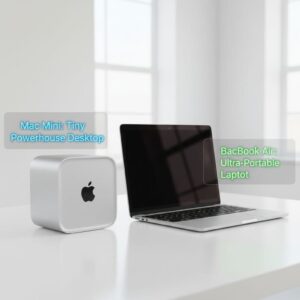
Both the Mac Mini and MacBook Air are Apple everyday use devices that run the same macOS and share the M4 chip in 2025. For casual users, students, and office workers, both are fast and very efficient.
Mac Mini vs MacBook Air for Everyday Use: Which Fits Your Routine?
When people compare these two Macs, they often overthink specs and forget about daily life. The real question is simple: where do you actually sit and use your computer most days?
If you spend most of your time at a desk, like a home office or study corner, a Mac Mini with a good monitor feels more like a “proper” workstation. Text is easier to read, you get more space for apps, and long writing sessions, spreadsheets, or browsing feel more relaxed. It also works well as a shared family machine, since everyone can log in on the same setup.
If your routine is more flexible, the MacBook Air feels better. You can start at your desk, move to the couch, then finish an email in bed or at a cafe. It handles web browsing, email, streaming, schoolwork, and simple photo editing without effort, and the battery is strong enough that you do not need to think about chargers all the time.
So the real choice is not which Mac is “more powerful” for everyday use, because both are fast. It is whether your everyday life feels more like a fixed desk with a big screen, or a light laptop you carry from place to place.
Mac Mini basics: a tiny desktop for your desk
The Mac Mini is a small desktop box that sits on a desk and stays plugged into power. It needs a separate monitor, keyboard, and mouse to work. It is quiet, strong for its size, and offers more ports than most laptops.
Recent Mac Mini models, from the Mac Mini M2 to the Mac Mini M4, focus on strong performance, low power consumption, and quiet fans. A Mac Mini fits people with a fixed home office, families who like a bigger shared screen, or anyone who wants a clean desk setup with one or two large monitors.
MacBook Air basics: a light laptop you can carry anywhere
The MacBook Air is a thin laptop with its own screen, keyboard, trackpad, and battery. It works straight out of the box. The MacBook Air M4 keeps the same idea as the older MacBook Air M2, but with better speed and battery life.
It is popular with students, remote workers, and people who like to work from the couch, kitchen table, or coffee shop. In simple terms, the Mac Mini is a desktop, and the MacBook Air is a portable computer you can carry.
How This Mac Mini vs MacBook Air Comparison Works
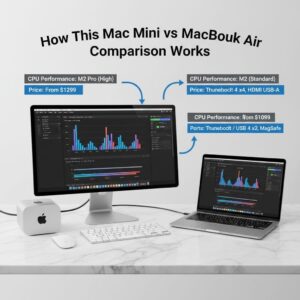
This guide focuses on real daily use, not lab tests. It looks at how each Mac feels when used for simple tasks rather than on big spec numbers.
Everyday tasks we focus on in this guide
The comparison is based on common jobs most people care about:
-
\t
- Web browsing with many tabs
- Email in apps or webmail
- Microsoft Office or Google Docs
- School essays and research
- Zoom or Teams calls
- YouTube, Netflix, and music
- Light photo edits and simple creative apps
- Notes, to‑do lists, and basic budgeting
\t
\t
\t
\t
\t
\t
\t
Heavy pro video editing, 3D work, or gaming are outside the scope here.
If you care mainly about video editing, see this separate breakdown of the Mac mini vs MacBook Air for video editing.
What we compare: performance, price, ports, and portability
Key points covered in each section include:
-
\t
- Performance for everyday tasks, not pro workloads
- Price difference and total cost, including monitor and accessories for Mac Mini
- Port options and connectivity, such as USB, HDMI, and Ethernet
- Battery life and mobility for MacBook Air
- Power consumption and space requirement for different desk setups
\t
\t
\t
\t
The language stays beginner-friendly and avoids deep technical jargon.
Quick Answer: Who Should Buy Mac Mini and Who Should Buy MacBook Air?

Most buyers decide between these two based on where they work and how often they move around.
Choose the Mac Mini if this sounds like you
The Mac Mini suits a stable desk setup and shared use.
-
\t
- You work mostly at one desk at home or in an office
- A bigger or dual‑monitor setup is important
- You want more ports and possibly wired internet
- You plan to share a computer with family members
- You already own a good monitor, keyboard, and mouse
\t
\t
\t
\t
For home use and office work, it can be the best Mac for everyday work if a fixed desk setup is preferred. Cost efficiency is strong when accessories are already in place.
Choose the MacBook Air if this sounds like you
The MacBook Air fits people who move around and do not want to manage extra gear.
-
\t
- Students who carry a laptop to class or the library
- Remote workers who swap between rooms or offices
- People who like working in coffee shops or when traveling
- Anyone who wants an all‑in‑one device with long battery life
\t
\t
\t
If you are a student and still unsure, check this guide on Mac Mini vs MacBook Air for students for more study‑focused examples.
For many users, the MacBook Air is the best Mac for everyday work because it handles browsing, streaming, and document work while remaining light, quiet, and portable.
Mac Mini or MacBook Air for Daily Use: What Feels Better Day to Day?
When asking about Mac Mini or MacBook Air for daily use, the main difference is comfort and where the computer lives.
Daily comfort: desk setup vs moving around with your Mac
A Mac Mini suits a clear desk with a larger monitor, full‑size keyboard, and mouse. Long study or work sessions can feel easier on the neck and eyes, especially with a 24‑inch or bigger display at the right height.
A MacBook Air suits people who move from desk to couch to bed. The screen is smaller, so long spreadsheet or writing sessions can feel tighter, but the freedom to pick up the laptop and sit anywhere is the main advantage.
Everyday apps: browsing, streaming, and chatting
For browsers with many tabs, YouTube, Netflix, Spotify or Apple Music, messaging apps, and Zoom calls, both devices feel smooth. In Mac Mini vs MacBook Air for browsing and multitasking, the difference is less about raw speed and more about where the user wants to sit and work.
Mac Mini vs MacBook Air Performance for Normal Tasks
This section focuses on Mac Mini vs MacBook Air performance for normal tasks such as web, office apps, and light creative work, using the current M4 generation.
CPU and GPU in plain English: how fast do they feel?
Both Mac Mini M4 and MacBook Air M4 use a 10‑core CPU, so opening apps, loading pages, and working on documents feel very similar. For most daily work, the two machines feel equally quick.
The Mac Mini has a slightly stronger GPU, which helps a bit with light photo or video edits on large screens. For simple home use, the difference is small, and most users will not see a clear gap.
Thermal behavior: why the Mini can keep peak speed longer
The Mac Mini has a fan, so it pushes hot air out and can hold top performance for longer work, such as long exports or large photo batches. The MacBook Air is fanless, so it stays silent but may slow slightly if pushed hard for a long time.
For browsing, writing, and streaming, both stay cool and fast. When asking Which is faster Mac Mini or MacBook Air for simple tasks?, the honest answer is that they feel the same for normal daily use.
Multitasking: many tabs and apps at once
Both models now ship with 16 GB unified memory, so many browser tabs, music, a video stream, and several documents can run at the same time without much slowdown. macOS manages memory well.
Heavy use of large, complex sites can still slow any system if hundreds of tabs are open, but for most casual users, either Mac is more than enough. The choice comes back to desktop vs portable.
Mac Mini vs MacBook Air Battery and Portability
The topic of Mac Mini vs MacBook Air battery and portability is simple but important.
Battery life: always plugged in vs all‑day laptop
The Mac Mini has no battery. It must stay plugged in to work, which makes it suitable for a fixed desk setup. Power consumption is low, so it is efficient to leave on during a workday.
The MacBook Air M4 often lasts 15 to 20 hours of light use. A student can move through a full day of classes or a remote worker can sit in a coffee shop for many hours without reaching for a charger.
Portability: weight, size, and working from anywhere
The MacBook Air is light and thin, easy to slip into a backpack and carry all day. For travel, hybrid work, or moving between rooms at home, it offers clear mobility.
The Mac Mini is tiny, but not truly portable. It still needs a monitor and a power cable. Moving it around the house means moving cables or having a second monitor.
Mac Mini vs MacBook Air for Office Work and Studying
When comparing the Mac mini vs. MacBook Air for office work, both models handle standard tasks well, such as spreadsheets, email, and calls.
Typing, documents, and video calls all day.
Both devices handle long days of writing, spreadsheets, and video calls without strain on performance. The Mac Mini often wins on comfort if paired with a large monitor and a full‑size keyboard.
The MacBook Air suits people who split time between a desk and other spaces. It can plug into an external display at work, then work alone at home or on the move.
Screen size and external displays for focused work
The Mac Mini depends fully on an external monitor. Users can pick any size, from a simple 24‑inch screen to a dual‑monitor setup. This helps for big spreadsheets, coding, or running several apps side by side.
The MacBook Air has a 13 or 15 inch built‑in display and can connect to at least one external monitor. There are some limits on how many displays can run at once, but for most office workers, a single extra monitor and the laptop screen are enough.
Mac Mini vs MacBook Air for Home Use and Family Life
Questions about Mac Mini vs MacBook Air for home use often come from families and casual users who mostly browse, stream, and do simple work.
Family computer, kids homework, and online classes
A Mac Mini can work as a shared family desktop in a study or living room. Kids can use it for homework, online classes, and light games. Each person can have a separate user account with parental controls.
A MacBook Air fits a teen or college student who needs a personal machine for both home and school. It is less ideal as a shared device because it tends to move with one person.
Streaming and relaxing: Mac Mini vs MacBook Air for watching movies
In Mac Mini vs MacBook Air for watching movies, both handle Netflix, YouTube, and other streaming services with ease. The experience differs by screen.
A Mac Mini connects to a larger monitor or even a TV, which works well for family movie nights on the couch. A MacBook Air is better for watching in bed, on trips, or in a dorm. For the question “Can I watch Netflix on a Mac mini?“, the answer is yes, via a browser or app on any connected display.
Space and clutter: where each Mac fits in your home
The Mac Mini itself is tiny, but a full setup still needs a monitor, keyboard, and mouse, so a proper desk is helpful. Cable management matters for a clean look.
The MacBook Air can be opened on any table and then folded and slid into a drawer. In small apartments or dorm rooms, that flexibility can free up space.
Mac Mini vs MacBook Air Base Model Comparison and Cost
Price and value play a large role, so a short Mac Mini vs MacBook Air base model comparison helps.
Price difference and what you get out of the box
The Mac Mini M4 base model usually starts at around $ 480 to $ 600. It arrives as a small box without a monitor, keyboard, or mouse.
The MacBook Air M4 starts closer to 750 dollars on sale, with a regular price that can reach 1,000 dollars or more. It includes a screen, keyboard, trackpad, and battery, so it is a complete system right away.
Total setup cost: monitor, keyboard, mouse, and more
For a new buyer with no gear, a Mac Mini plus a basic monitor, keyboard, and mouse often reaches or passes the price of a base MacBook Air. Reusing an existing monitor and accessories can make the Mac Mini very cost-efficient.
Both machines are energy efficient. The Mac Mini uses power only at the desk. The MacBook Air uses more battery cycles and needs charging, but overall power use stays low.
Upgrade options and future flexibility
Neither Mac allows later upgrades to internal memory or storage, so users should pick enough at purchase time. Many buyers choose 16 GB RAM and at least 512 GB storage if the budget allows, for longer life.
The Mac Mini is more flexible as a hub. It connects to more external drives, extra monitors, and wired Ethernet. The MacBook Air is more fixed but still works well with a simple USB‑C hub for extra ports. This helps both devices stay useful for many years.
Real‑Life Pros and Cons of Mac Mini and MacBook Air
This section summarizes the everyday pros and cons that matter for regular users.
Mac Mini pros and cons for everyday users
Pros:
-
\t
- Stronger GPU and active cooling for sustained work
- More ports, including HDMI, USB‑A, and Ethernet
- Easy support for big or dual monitors
- Good as a shared family or office computer
- Very cost efficient if a monitor and accessories already exist
\t
\t
\t
\t
Cons:
-
\t
- No battery, always needs power
- Not portable in a practical sense
- Extra cost for monitor, keyboard, and mouse
- Needs a proper desk and some cable management
\t
\t
\t
For the question Is Mac Mini good for everyday use?, the answer is yes, as long as the user is happy working at a fixed desk.
MacBook Air pros and cons for everyday users
Pros:
-
\t
- Excellent battery life for all‑day use
- Light, thin, and easy to carry
- Quiet, fanless design
- All‑in‑one unit with screen, keyboard, and trackpad
- Enough performance for normal browsing, office work, and light creative tasks
\t
\t
\t
\t
Cons:
-
\t
- Higher price than a base Mac Mini
- Fewer ports, often needs a USB‑C hub
- Smaller screen unless paired with an external monitor
- Less flexible for complex multi‑monitor setups
\t
\t
\t
Is the MacBook Air good for daily use? Yes, it is one of the best Apple devices for everyday use for mobile users. Is MacBook Air better than Mac Mini for daily tasks? It is better for people who move around. For desk‑only use, the Mac Mini can be a better fit.
People Also Ask: Common Questions About Mac Mini and MacBook Air
Is the MacBook Air good for daily use?
The MacBook Air is designed for daily use. It handles web browsing, email, documents, and streaming without effort. Battery life is long enough for a full day of light work or study.
The fanless design stays quiet even in video calls or simple photo edits. For many buyers, it is the most balanced choice for normal work and personal tasks.
What is the disadvantage of a Mac mini?
The main downside of a Mac Mini is that it has no built‑in screen or battery. Users must buy or reuse a monitor, keyboard, and mouse.
It is not ideal for people who move between rooms or work on the go. The device works best as a fixed desk computer, where it can stay plugged in and connected to its monitor.
What is the Mac mini used for every day?
A Mac Mini is often used for home office work, web browsing, email, and light creative tasks. Many families use it as a shared desktop for homework, online classes, and basic games.
It also suits remote workers who prefer a large monitor and wired internet. As a small desktop, it can stay in one place and be ready for the next work session.
Can I watch Netflix on a Mac mini?
Netflix works on a Mac Mini through a web browser or a supported app. Once connected to a monitor or TV, it can stream movies and shows in high quality.
Some users place a Mac Mini near a TV to build a simple home media setup. It can then play Netflix, YouTube, and music with one compact box.
Mac Mini vs MacBook Air for Web Browsing, Streaming, and Light Creative Work
Every day media and simple creative tasks run well on both devices, so the choice comes down to screen, ports, and mobility.
Web browsing and multitasking without slowdowns
For Mac Mini vs MacBook Air for web browsing, both handle many tabs, web apps like Google Docs, and music in the background. The M4 chips are strong enough that casual users rarely see slowdowns.
Heavy tab users with many extensions may need to close some tabs from time to time, but this is true on most computers. From simple browsing to web‑based tools, both models perform smoothly.
Streaming video, music, and light photo edits
Both Macs stream HD and 4K video smoothly and run light photo editing apps such as Photos or simple Lightroom edits. MacBook Air performance is more than enough for casual creators who edit photos for school or social media.
The Mac Mini’s slightly stronger GPU and support for larger screens help users who want a more serious desk for creative projects. In most light use cases, the experience feels similar.
Image Ideas to Make This Comparison Easier to Visualize
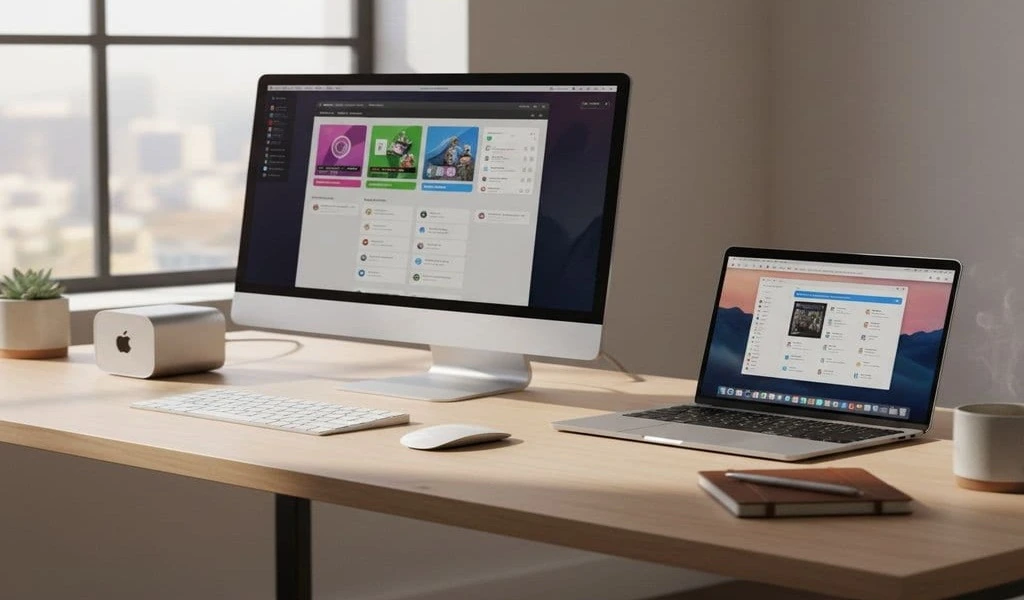
Side‑by‑side photo: Mac Mini vs MacBook Air on a desk
Image idea: A simple desk with a Mac Mini, monitor, keyboard, and mouse on one side, and a MacBook Air on the other.
Caption: “Simple desk comparison of Mac Mini desktop setup and MacBook Air laptop.”
Home office with Mac Mini and external monitor
Image idea: A clean home office showing a Mac Mini under a monitor with a keyboard and mouse.
Caption: “Home office setup with Mac Mini and external monitor for everyday work.”
A student using a MacBook Air in a cafe or library
Image idea: A student with a backpack using a MacBook Air at a cafe table or library desk.
Caption: “Student using a MacBook Air for studying and web browsing on the go.”
Living room entertainment setup with Mac Mini
Image idea: A Mac Mini connected to a TV in a living room with a couch in view.
Caption: “Mac Mini connected to a TV for streaming movies and shows at home.”
Conclusion
For most buyers, the choice between these two Macs is not about raw speed. It is about where the device lives, how often it moves, and how much desk space and budget are available. Both are strong Apple everyday use devices that should last many years.
In simple terms, the Mac Mini is a tiny desktop that shines at a fixed desk with a big screen. The MacBook Air is a light laptop that shines when carried to class, work, or the couch. The decision between the Mac Mini vs MacBook Air for Everyday Use depends mainly on portability needs.
A short summary:
-
\t
- Choose Mac Mini if a fixed desk and big screen matter most
- Choose MacBook Air if mobility and battery life matter most
- Pick Mac Mini for a shared family computer or home office
- Pick MacBook Air for students, travelers, and hybrid workers
- For price, count monitor and accessories when comparing totals
\t
\t
\t
\t
Before buying, think about where the computer will sit most days and how often it needs to be moved. Then pick the option that best matches that routine, and explore more Mac and tech tutorials on this site for setup tips and next steps.

Related Articles