
How to Remove Your Name from AI People Finder Sites in the USA (Step‑by‑Step Guide)

Learn how to remove your name from AI people finder sites in the USA with simple steps. Free DIY opt-outs, data broker removals, Google result cleanup, and optional paid tools explained.
AI people finder sites collect names, addresses, phone numbers, photos, and more into detailed profiles. Many now use artificial intelligence to connect data from multiple sources and infer additional details. If you want to remove your name from AI people finder sites, you are not alone.
These tools feel more aggressive than old people search sites. AI continues to scrape, combine, and predict. It links usernames, photos, and past addresses into one long record that can follow you for years.
For people in the United States, the problem is worse. Privacy laws are weaker than in the European Union, and there is no nationwide “right to be forgotten.” Even so, it is still realistic to remove your name from AI people finder sites from many major tools, or at least hide most of your information.
This guide explains how these services work, why they are risky, and how to protect yourself from stalking, scams, and doxxing. It walks through clear, step-by-step actions, starting with free do-it-yourself methods, then optional paid services, and finishes with long-term habits that help you stay private.
What Are AI People Finder Sites and Why Are They a Problem for Your Privacy?
AI people finder sites, sometimes called AI-powered people search tools, collect data about people and show it in a single profile. A user types a name, phone number, or email, and the site shows results.
These tools gather information from many places. They use:
-
\t
- Public records
- Social media profiles
- Data brokers
- Scraped websites and old accounts
\t
\t
\t
AI systems then try to connect all these pieces. They do not just list a name and address. An AI people finder might:
-
\t
- Match usernames to real names
- Connect photos across platforms
- Guess relatives and relationships
- Suggest jobs, interests, or income level
\t
\t
\t
Older people’s search sites usually showed static data. AI people finder tools can “fill in the blanks” and refresh data often. This makes them feel more invasive.
The risks are serious. A detailed profile can help with:
-
\t
- Stalking and harassment
- Doxxing, where someone posts your address or workplace
- Identity theft and targeted scams
- Quiet background checks by employers, landlords, or dates
\t
\t
\t
Some sites even advertise an “AI person finder by name free” search, which makes it easy for anyone to look you up. While there can be valid uses, such as finding an old friend, this guide focuses on safety and control.
If your goal is to remove your name from AI people finder sites, you need to know where their data comes from first.
How AI People Finder Sites Get Your Information in the First Place
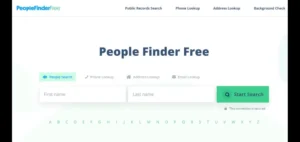
AI people search tools rarely rely on a single source. They create a stream of data that keeps refilling profiles even after removals.
The main sources are:
-
\t
- Public records and government databases
- Commercial data brokers and marketing files
- Social media, old accounts, and public profiles
\t
\t
This mix is why it can take more than one form to remove personal information from AI people finder sites or to remove your digital footprint from AI people finder tools in a lasting way.
Public Records and Government Data That Feed AI People Search
Public records are documents that government offices make available to the public. In the United States, these can include:
-
\t
- Property and deed records
- Some voter registration lists, in certain states
- Court records and some arrest records
- Business registrations and professional licenses
\t
\t
\t
These records are often legal to publish. AI people finder sites simply collect, copy, and index them.
For many people, this means:
-
\t
- Home address and property value appear online
- Old court cases or traffic tickets show up in search results
- Business or license information surfaces in profiles
\t
\t
You usually cannot erase official public records. Courts and county offices keep them. The realistic goal is to hide or reduce how those records show up in AI people search tools.
That is why this guide stresses realistic expectations. You can limit how easy it is to find your information, even if some records stay in government systems.
Data Brokers and Marketing Databases Behind AI People Finder Sites
Data brokers are companies that collect, buy, and sell personal data. They build large databases from:
-
\t
- Apps and loyalty programs
- Credit header data and financial records
- Online shopping and browsing behavior
- Newsletter sign-ups and sweepstakes
\t
\t
\t
AI people finder tools often buy from, or scrape, these data broker databases. This is one reason your details may reappear after you remove them from a single site.
Consumer advocates have tracked hundreds of data brokers. The Privacy Rights Clearinghouse keeps a detailed Data Broker Database that shows how widespread this industry has become.
Other resources, such as the community-driven Big-Ass Data Broker Opt-Out List, provide opt-out instructions for many companies. Many readers use lists like these when they decide to stop AI people search showing your name over the long term.
Cutting off data brokers with opt-out requests is one of the most effective ways to slow the return of your information to AI people finder sites.
Social Media, Old Accounts, and Online Profiles AI Uses to Build Your Profile
Public social media profiles are another major source. AI systems scan:
-
\t
- Facebook, Instagram, and TikTok
- LinkedIn and other work profiles
- X (Twitter) and Reddit
- Old forums, blogs, and gaming accounts
\t
\t
\t
If the same username appears with your photo in one place and your full name in another, the AI can link them. If your email or phone number is public on one site, it can connect that to other accounts.
Public posts that mention your workplace, school, children’s names, or neighborhood make the profile even richer. Over time, the AI can build a very detailed picture of your life.
This mix of records, brokers, and social accounts explains why it takes several steps to remove your digital footprint from AI people finder tools. One quick form is rarely enough. The next sections explain how to attack the problem in order.
Step 1: Find Where Your Name Appears in AI People Finder and People Search Sites
The first step is to learn where your information is visible today. A focused search usually takes less than an hour.
Start with these basic searches:
-
\t
- Type your full name in quotes into Google or another search engine.
-
\t
- Example:
"First Last" City State
- Example:
- Try adding details, such as:
-
\t
"First Middle Last" City State"First Last" "your phone number""First Last" "your [email protected]"
\t
\t
- Repeat with maiden names or common variations if you have them.
\t
\t
Scan the first few pages of results. Look for people search sites and AI-style tools, including:
-
\t
- Whitepages
- Spokeo
- BeenVerified
- Intelius
- MyLife
- Radaris
- Nuwber
- PeopleFinders
- TruthFinder
\t
\t
\t
\t
\t
\t
\t
\t
Some will advertise “AI-powered people search” or “AI person lookup.” Others may not say “AI” but still use similar technology behind the scenes.
Open each result in a new tab, and check if the profile matches you. Pay attention to age, city, and relatives.
To stay organized, create a small tracking list or spreadsheet with columns such as:
-
\t
- Site name
- Profile URL
- What personal data appears (address, phone, relatives, photos)
- Date you found it
- Status, such as “Needs opt-out,” “Opt-out sent,” or “Removed”
\t
\t
\t
\t
This list becomes your checklist. It helps you get your information off AI people finder websites without repeating work.
For readers who want a broader context on staying safe online, many privacy experts recommend guides like Consumer Reports’ overview on how to delete your information from people-search sites.
Step 2: Use Each Site’s Opt-Out Process to Remove Yourself for Free
Each site has its own opt-out or removal system. The pattern is usually similar.
General steps:
-
\t
- Go to the people search or AI people finder site.
- Use the site’s own search box to find your listing.
- Confirm that the result is actually your profile.
- Look for links labeled “Opt out,” “Remove my info,” “Delete record,” or “Do not sell my information.”
-
\t
- These links are often in the footer, help section, or privacy policy.
- Follow the instructions on the opt-out page.
\t
\t
\t
\t
Most forms will ask for:
-
\t
- The exact URL of your profile
- Your name and email
- Sometimes, your current address is required to confirm identity
\t
\t
Some sites send a confirmation email with a link you must click. Others send a code by text message. A few ask for an ID upload to verify that you are the person in the listing.
This process is usually free. It does take time and patience. In many cases, removal happens within a few days, but some sites take up to 30 days.
It is common for listings to appear again after several months if the site reloads data from brokers. For this reason, many users who remove yourself from AI people finder sites keep their tracking list and revisit it a few times a year.
If you cannot find the opt-out link, check:
-
\t
- The site’s “Privacy” or “CCPA” page
- Help or FAQ sections
- Third-party guides, such as Security.org’s article on how to remove your name from the internet
\t
\t
Those resources often list direct opt-out URLs and explain details in plain language.
Smart Privacy Tips While You Submit Opt-Out Requests
Protecting your privacy during the opt-out process is important. Some simple practices reduce risk.
Helpful tips:
-
\t
- Use a secondary email account.
Create a separate email just for privacy tasks and opt-outs. This keeps your main inbox cleaner and reduces spam. - Use a virtual phone number when possible.
Services like Google Voice or other VoIP providers can receive codes and calls without exposing your main cell number. - Be careful with ID uploads.
Some sites will not process a removal without an ID. Only upload if the site is legitimate and the request appears in their official instructions. Blur or cover sensitive fields such as ID numbers. - Save proof of your requests.
Take screenshots of forms you submit. Keep all confirmation emails in a dedicated folder. This makes follow-up easier if a listing appears again. - Avoid random “removal helper” sites.
Many small websites promise instant deletion if you pay them. If they are not a well-known data removal service, skip them.
\t
\t
\t
\t
These steps help you remove personal information from AI people finder sites without creating new risks.
Step 3: Use Data Broker Opt-Outs to Stop AI People Search Sites From Refilling Your Data
Many AI people finder tools regularly refresh their data from large broker lists. If you remove your info from the people search site but not from the broker, your profile may return.
A good next step is to send opt-out or deletion requests directly to data brokers.
A practical way to start:
-
\t
- Search the web for “data broker opt out list.”
- Open a current list, such as:
-
\t
- The Privacy Rights Clearinghouse Data Broker Database
- DeleteMe’s public opt-out guides for data brokers
- The Big-Ass Data Broker Opt-Out List on GitHub
\t
\t
\t
You will see names of major data brokers, links to their privacy or opt-out pages, and notes on what each company collects.
For each broker you select:
-
\t
- Go to its website.
- Look for “Privacy,” “Do Not Sell or Share My Personal Information,” or “Opt Out.”
- Fill out the request form with your name, address, and email.
- Confirm your request if they send an email or code.
\t
\t
\t
If you live in a state with stronger privacy laws, such as California, Colorado, or Virginia, you may have specific rights under laws like the California Consumer Privacy Act (CCPA). These rights often include:
-
\t
- Asking a company to delete your data
- Asking them not to sell or share your data
\t
Working through a handful of large brokers first can significantly stop AI people search showing your name as new data flows into those sites.
Removing your data from brokers is free, but it may take several hours of work, spread over a few days.
Step 4: Remove Personal Information From Google and Other Search Engines
Removing your name from AI people finder sites is different from removing it from Google search. Both matter for your privacy.
Search engines show results that point to other websites. If you get your profile removed or hidden on the source site, Google and other engines usually drop that result after they recrawl the page.
In some situations, you can also ask Google to hide search results that expose sensitive data. Google offers tools for users who want to remove personal information from Google for free, such as home address or phone number in search results.
In plain terms, the process looks like this:
-
\t
- Sign in to your Google account.
- Go to Google’s “Remove result” or “Remove personal information” page.
- Paste the URL of the people search result or any page that exposes sensitive info.
- Choose a reason, such as showing your home address or contact details.
- Submit the request.
\t
\t
\t
\t
Google reviews each request and may remove the result from search for your name or other queries. It does not delete the content from the original site. You still need to use direct opt-outs and data broker requests to address the root cause.
If you are unsure where to start, Experian gives a clear overview in its article on how to remove your information from people search sites, including a reminder to combine site removals with search engine tools.
Many people search for how to remove personal information from Google for free. The answer is that Google’s removal forms are free, but they work best after you clean up the original AI people finder and data broker entries.
Step 5: Use Paid Data Removal Services to Save Time (Optional)
Some people do not have the time or patience to manage dozens of opt-out forms. For those users, paid data removal services are an option.
Companies like DeleteMe, Optery, OneRep, Incogni, and similar services:
-
\t
- Scan many data brokers and people search sites for your information
- Submit removal requests on your behalf
- Repeat checks on a schedule, such as monthly or quarterly
\t
\t
DeleteMe, for example, markets itself as a way to remove personal info from Google and other sites, and offers both opt-out guides and a managed service. Its site at joindeleteme.com describes how it removes personal info from many platforms.
These services help delete your data from AI people search sites faster and with less manual effort. However, they have trade-offs.
Pros:
-
\t
- Save hours of work on forms and tracking
- Ongoing monitoring and repeat removals
- Coverage for obscure sites you might never find yourself
\t
\t
Cons:
-
\t
- Monthly or yearly fee
- You must share enough data for them to find and remove your profiles
- No company can guarantee 100 percent removal forever
\t
\t
Some services offer free scans or limited free removals. These can be useful to see where your data appears, even if you choose not to subscribe.
Used well, a data removal service can help take your data off AI people search tools faster, especially for users with very limited time.
How to Hide Your Identity From AI People Finder Sites Over the Long Term
Once you start to remove your name from AI people finder sites, the next task is to change habits so your data does not regrow as fast as before. Long-term privacy is about reducing new leaks.

Photo by Dan Nelson
These steps also protect you from scams, tracking, and account theft.
Lock Down Social Media and Public Profiles
Public social media often feeds AI people finder sites. Tightening privacy settings makes a difference.
Key steps:
-
\t
- Set personal profiles to private where the platform allows it.
- Review friend and follower lists. Remove people you do not know.
- Delete or hide posts that show your home address, phone number, kids’ schools, or daily routines.
- On LinkedIn, keep details professional. Avoid listing exact street addresses or personal phone numbers.
- Check personal websites, portfolios, and bio pages. Remove direct contact info or switch to a contact form.
\t
\t
\t
\t
These changes make it harder for AI to link accounts and match them to your real-world identity.
If you want a broader checklist for social media safety, look for general online privacy tips from trusted sources. You can also mark a note to read an internal guide on “online privacy tips” later. [INTERNAL LINK]
Be Careful With What You Share in the Future
Future behavior is as important as current cleanup. Every new data point is a puzzle piece.
Practical habits:
-
\t
- Avoid posting your full address, phone number, and travel plans in public posts.
- Use separate email addresses for shopping, newsletters, and contests, so marketing data is less tied to your main identity.
- Think before posting detailed information about children, school events, or recurring locations.
- Be cautious with online forms that ask for phone numbers and addresses when they do not truly need them.
\t
\t
\t
These habits help hide your identity from AI people finder sites and reduce the amount of information that can be sold to data brokers in the first place.
Use Privacy-Focused Tools and Safer Contact Info
Simple tools can make privacy easier.
Common options:
-
\t
- Alternate email addresses.
Use one email for banking and important accounts, another for stores and newsletters. - Virtual phone numbers.
Google Voice and similar services provide a number you can give to businesses, websites, or for public listings. - Password managers.
These tools store strong, unique passwords for each site, which reduces the risk of account takeovers. - Multi-factor authentication (MFA).
Turn on MFA for important accounts, such as email, banking, and social media. This adds an extra step when you sign in.
\t
\t
\t
These tools reduce leaks of your real contact info and strengthen account security. As a result, it becomes harder for AI people finder sites to connect your real identity to every online action.
For a broader look at account security, you might plan to review a guide on online privacy tips for beginners later. [INTERNAL LINK]
What You Can and Cannot Remove From AI People Finder Sites
An honest view of the limits helps set expectations.
With time and persistence, many people can remove or hide a large share of their people search profiles. This is especially true for profiles built mainly for marketing and private background checks.
However, some information is harder to remove:
-
\t
- Official public records, such as property ownership or some court records, often stay in government databases.
- Certain licensed profession lists and business records remain public for legal reasons.
\t
AI tools may still infer some details about you from what remains public. Even then, if you remove your digital footprint from AI people finder tools as much as possible, it becomes far more difficult for strangers, stalkers, or scammers to build a complete picture quickly.
Privacy cleanup is not a one-time project. It is better to think of it as maintenance. Many people check search results and key people search sites every 6 to 12 months, then repeat opt-outs if needed.
Frequently Asked Questions About Removing Your Name From AI People Finder Sites
1. Is it really possible to remove your name from AI people finder sites in the USA?
It is possible to remove or hide much of your information, but not every trace. You can often remove many listings from people search sites and limit what shows up in search engines.
Public records and some business data may remain visible in official systems. AI tools may still use those records. Even so, once you remove your name from AI people finder sites that focus on marketing and background checks, casual searches reveal far less about you.
The goal is risk reduction, not perfection.
2. How long does it take for AI people search sites to delete my information?
Most sites respond within 24 hours to 30 days after you submit an opt-out request. Some update faster, especially if they confirm removals by email.
Data brokers often have longer timelines. Their privacy policies may state 30 to 45 days or more. If a listing remains after that time, you can submit another request or contact the company again.
Search engines also need time to drop removed pages from results. It may take a few weeks for changes to fully appear.
3. Is there a way to remove my name from AI people finder sites in USA for free?
Yes. Every major people search site provides some kind of free opt-out or “do not sell” process. If you are willing to do the work yourself, you can remove your name from AI people finder sites in USA free of charge.
The trade-off is time. You need to:
-
\t
- Find each listing
- Submit opt-out forms
- Track requests
- Repeat steps when data returns
\t
\t
\t
On forums like Reddit, threads such as “How do I remove myself from the internet search sites” often show a mixed strategy. People describe doing some DIY opt-outs and then using a paid service if they feel overwhelmed.
4. What is the difference between removing info from AI people search sites and removing results from Google?
Removing info from AI people search sites deletes or hides your profile at the source. Removing results from Google only hides the link in search results.
To fully remove your name from AI people search results, you should:
-
\t
- Use each site’s opt-out to remove or hide the profile
- Ask Google to remove search results only when needed, such as when sensitive details still appear
\t
If a people search site keeps hosting your data, it may still be visible through other search engines or direct access.
SEE ALSO: ChatGPT Resume Tips: How To Write a Human Resume With AI
5. Are there companies that remove personal information from the internet for free?
Some tools and lists are free, but full data removal services usually cost money.
Free options include:
-
\t
- Public opt-out guides, such as DeleteMe’s data broker opt-out guides
- Educational resources from consumer groups and credit bureaus
- Google’s own removal tools
\t
\t
When people talk about companies that remove personal information from internet for free, they often mean guides rather than full-service removal. Services like DeleteMe, Optery, OneRep, and Incogni charge subscription fees for active removal and monitoring.
6. How often should I check if my name is back on AI people search sites?
A practical schedule is every 6 to 12 months. You can also check sooner after big life changes, such as moving to a new address, starting a new job, or changing your phone number.
A brief search for your name, city, and state, plus a quick look at top people search sites, is usually enough to catch new listings. Many people keep their earlier spreadsheet and mark the date of each new check.
7. Can AI tools still guess things about me even after I opt out from many sites?
AI tools can still make guesses based on what remains public. For example, if property records or business licenses are public, an AI system may infer general location or work details.
However, once you remove your digital footprint from AI people finder tools as much as possible, the results are less complete. The information is harder to find and less useful to stalkers or scammers.
Privacy is about reducing the amount and accuracy of data that strangers can access in one search.
8. Is it safer to use a data removal service or to remove your info yourself?
Both options can be safe when handled carefully.
Doing it yourself:
-
\t
- Keeps you in full control of what you share
- Costs only your time
- Requires patience and organization
\t
\t
Using a service like DeleteMe, WhiteBridge AI, Optery, OneRep, or Incogni:
-
\t
- Saves time and effort
- Adds ongoing monitoring
- Requires you to trust a company with enough data to find your profiles
\t
\t
On forums such as “remove your name from AI people finder sites in USA reddit” discussions, many users recommend a mix of both. They suggest starting with DIY removals, then using a paid service if you are too busy or if new listings keep appearing.
Conclusion
AI people finder tools collect and connect large amounts of personal data. Even in a country without a national “right to be forgotten,” it is still possible to remove your name from AI people finder sites to a meaningful degree.
The main steps are clear. First, search for your name and map where your information appears. Second, use each site’s opt-out process to remove or hide your profile. Third, send opt-out requests to major data brokers so they stop feeding your data back into new profiles.
Next, remove sensitive results from Google and other search engines where needed. Finally, adjust your habits and tools, such as social media privacy settings, email addresses, and virtual phone numbers, so your information does not spread as quickly again.
There is no single button that will fully remove your name from AI people finder sites forever. However, a simple system and a few hours spread over several weeks can sharply reduce what strangers can see about you. Many people start small by cleaning up the top three search results on Google today, then schedule short sessions each week until they have handled most listings.
You have more control over your data than it may seem at first. Privacy is an ongoing process, but it is a process you can manage. When you are ready to go deeper, you can also look for a guide to clean up your digital footprint or to learn more online privacy tips. [INTERNAL LINK]

Related Articles