
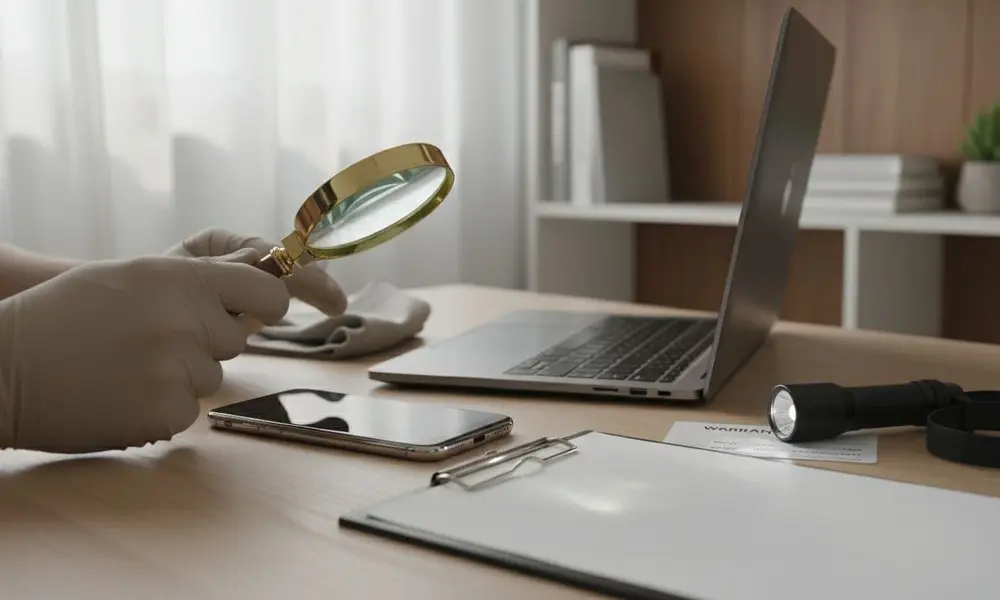
Refurbished listings often use confident words like “tested,” “certified,” and “warranty included,” yet they rarely explain what was actually verified.
That gap matters because “refurbished” can describe everything from a carefully restored device to a quick clean-and-reset job. Without clear definitions, it’s easy to confuse a working device with a trustworthy one.
This article is for anyone using or considering refurbished electronics worldwide, from phones and laptops to consoles, TVs, and smart home gear. It explains refurbished device condition and warranty verification in plain terms: the difference between inspection and testing, how cosmetic grades are assigned, what “tested” usually includes (and what it doesn’t), how data wiping is confirmed, how warranty coverage is tied to proof like serial numbers and dates, which documents you might see, and the most common misunderstandings.
Refurbished Device Condition and Warranty: What Gets Verified
Refurbished listings often combine three things into a single label: how the device looks, how it works, and what happens if it fails later. This is why two “refurbished” devices can feel very different, even when both are described as tested and warranty included.
A simple way to think about verification is this: the condition should be confirmed through inspection and functional testing, while the warranty should be confirmed through written terms tied to the device ID and the sale date. If either side is missing, the listing can still be true, but it is harder to trust.
In the sections below, you will see what refurbishers usually check, what is sometimes skipped (such as longer stress testing), how cosmetic grades are determined, and which documents actually prove warranty coverage.
How refurbishers verify device condition, function vs looks
“Condition” sounds like one thing, but in refurbishment it usually splits into two tracks:
Functional condition means the device works. It powers on, runs its software, and key hardware features pass checks.
Cosmetic condition means how it looks. Scratches, scuffs, dents, screen marks, and worn keys are judged here.
Many sellers combine these into a single label, which causes confusion. A device can be fully functional and still show heavy wear. It can also look clean while still exhibiting weak battery performance or an unreliable port.
Checks also vary by device type, but the logic stays the same:
-
- Phones and tablets focus on the screen, cameras, battery, and radios.
-
- Laptops and desktops focus on storage health, thermals, ports, and keyboards.
-
- Consoles focus on storage, network, controllers, and long play stability.
-
- TVs and monitors focus on panel uniformity, dead pixels, ports, and audio.
- Wearables and smart home devices add sensors, pairing, and account lock checks.
Think of “condition” like a car listing. One part is whether the engine runs, the other part is whether the paint is scratched. Both matter, but they’re not the same claim.
Device inspection and functional testing, what is checked and what is often skipped
A typical refurbished electronics inspection process starts with visual inspection, then basic functional testing, and then final quality control. The details differ, but these are common checks across categories:
-
- Power on and stable boot into the operating system
-
- Charging and basic power draw behavior
-
- Battery behavior checks (basic health reading or quick charge and drain checks, not a promise of long run-time)
-
- Screen checks: dead pixels, brightness range, backlight issues, touch response (when relevant)
-
- Buttons and switches: power, volume, keyboard keys, controller buttons
-
- Ports: USB, video out, audio jack, charging port, card slots (fit and data connection)
-
- Audio: speakers and microphones
-
- Cameras: basic focus and capture test (for devices that have cameras)
-
- Wireless: Wi‑Fi and Bluetooth (sometimes cellular radios on phones, if applicable)
-
- Storage: read/write test, error flags, basic integrity checks
-
- Sensors: accelerometer, proximity, GPS, biometrics, or others when present
- Software start-up, basic app load, and system updates (varies by refurbisher)
This is the core of how refurbished devices are tested in many mainstream channels. It’s often enough to catch obvious failures, but it has limits.
Quick tests vs stress tests
Quick tests aim to confirm function in minutes. Stress tests run the device under heavy load for longer, looking for heat issues, random restarts, graphics crashes, or intermittent faults.
Stress testing can include:
-
- Higher CPU and GPU load for laptops and consoles
-
- Longer playback for TVs and streaming devices
- Longer sensor and radio checks for wearables
Many refurbishers do some form of short “burn-in,” but there’s no single global standard. That’s why two devices both labeled “tested” can have very different histories.
What “tested” usually does not prove:
-
- Future battery life in real daily use
-
- Long-term reliability over months
-
- Water resistance (even if the model originally supported it)
-
- Hidden past damage that only shows under heat, vibration, or extended use
- The quality of prior repairs, if any were done before the refurbisher received it
In other words, “tested” is usually a snapshot, not a crystal ball. It’s still part of refurbished device condition explained, but it’s not a lifetime guarantee.
Cosmetic grading explained, why grades are not universal across sellers
Cosmetic grading is about appearance only. It’s the label that sets expectations before a box is opened.
Common wear examples:
-
- Micro-scratches on glass or glossy plastic
-
- Scuffs on corners and edges
-
- Small dents on metal frames
-
- Keyboard shine on frequently used keys
-
- Screen marks that appear under bright light
- Controller stick wear or drift risk signs (sometimes only visible in use)
The problem is that grades like “A/B/C” or words like “Excellent/Good/Fair” are not universal. One seller might grade under bright inspection lights at close range. Another might grade from arm’s length. Some count the number and size of marks, others use a general impression.
Industry groups try to standardize parts of this. For wireless devices, CTIA publishes grading definitions widely used in the aftermarket ecosystem, which helps explain why terms can differ across channels (see CTIA’s wireless device grading scales and the related grading criteria PDF).
A key gap that listings rarely spell out: a better cosmetic grade doesn’t automatically mean deeper testing. Cosmetic and functional tracks can be linked, but they’re often handled by different steps and sometimes different teams. That’s the heart of refurbished grading standards explained.
How data wiping is verified, factory reset vs secure erase
Data wiping is part of condition verification because it affects trust, legality, and whether the device can be activated by the next owner. It is not just privacy.
Phones, laptops, smart TVs, and consoles can all store account tokens, saved passwords, Wi‑Fi keys, and personal data. If wiping fails, the device can arrive “clean” on the surface but still be tied to a prior account, or worse, still contain recoverable data.
A simple factory reset can remove user access, but it doesn’t always provide secure erasure. Storage design varies, and some reset methods primarily clear pointers to data rather than overwriting the data.
This is one reason many professional refurbishers use dedicated erasure tools and keep logs (background context on erase methods is summarized well in this data erasure overview and in discussions of why resets can leave remnants, such as this article on secured data in refurbished phones).
What “wiped” can mean, and what proof you might see
“Wiped” is a short word that can mean very different actions:
| Term seen in refurb records | What it often means | What it can’t prove by itself |
|---|---|---|
| Factory reset | User data removed from normal access, device set to out-of-box flow | Secure overwrite, no remnants, no account locks |
| OS reinstall | Fresh system image installed | That storage was sanitized, or that hidden partitions were cleared |
| Secure erase | Data sanitization using a defined method, often tool-driven | That every component passed testing, or that future failures won’t occur |
| Wipe verified | A tool reported success and logged the result | That removable media was included unless noted |
Strong evidence sometimes includes a wipe certificate (common in business channels), a device record entry with method and result, or a checklist line that names the erasure method.
Weaker evidence includes vague language like “reset,” with no method, no record, and no confirmation of the account lock release.
There are also tricky cases:
-
- Removable storage (like SD cards) may be outside the refurbisher’s wipe process unless explicitly handled.
-
- Failing storage can prevent reliable wiping. Some refurbishers replace the drive; others may downgrade the device to parts or recycling.
- Account locks must be cleared. A device can look wiped and still be tied to a prior owner account, which blocks activation and service features.
How refurbished warranties are verified, coverage, dates, and proof
A warranty is a written promise about what happens if the device fails under normal use within a set time. It is separate from cosmetic grading and separate from “tested.”
Warranty claims live or die on proof. Many systems tie coverage to one or more of these:
-
- Invoice or order ID
-
- Device serial number (or similar unique ID)
-
- Ship date, activation date, or sale date
- Program terms that define what “refurbished” means in that channel
This is the practical core of a refurbished warranty verification process. It also explains why “warranty included” without terms is not a complete statement.
Who provides the warranty changes consistency:
-
- Manufacturer program: often more consistent, with published standards and serial-linked tracking.
-
- Seller or refurbisher warranty: depends on that seller’s process and service capacity.
- Third-party administrator: coverage terms can be clear, but claims may require specific documents and checks.
This difference is often described as manufacturer refurbished vs seller refurbished warranty, and it’s one of the biggest reasons refurbished listings vary so much.
Return window vs warranty coverage, and what is usually excluded
A return window is a short period during which the device can be returned, often for any reason permitted by policy. It focuses on reversing the purchase.
A warranty is longer and covers defects, repair, replacement, or, sometimes, a refund if repair isn’t possible.
Common warranty exclusions are usually simple:
-
- Accidental damage (drops, crush, misuse)
-
- Liquid damage
-
- Lost or stolen devices
-
- Cosmetic wear (scratches, dents) that doesn’t affect function
-
- Consumables (batteries are sometimes limited, such as coverage only if below a threshold)
- Accessories (cables, remote controls, chargers) often have shorter coverage or none
“Warranty included” without a written scope, term length, and claim path is not strong proof. It’s a label, not a contract.
For an example of how some large programs publish warranty terms by condition tier, see this public refurbished warranty overview.
What documents actually verify warranty, and what they can and cannot prove
Warranty verification usually comes down to documents that connect three things: who sold it, when it was sold, and which exact device it was.
Common documents and what they prove:
-
- Invoice or receipt: proves the seller, date, and, often, the refurbished label and term length.
-
- Listing terms (saved copy or order confirmation): proves what was promised at the time of sale.
-
- Warranty card or program certificate: can prove the warranty administrator and duration, sometimes with conditions.
-
- Email confirmation: can support dates and order IDs when receipts are missing.
-
- Device label with a serial number: proves identity and helps match the device to the paperwork.
- Refurb test checklist (if provided): shows what was checked, but not how deeply each test was performed.
What these documents usually cannot prove:
-
- The exact depth of testing (quick check vs extended stress test)
-
- That the device won’t fail later (no document can promise that)
- The full history before refurbishment unless a program provides it
Some readers also want clarity on whether a “refurbished” device had real prior use or was return stock. A separate explainer on signs and definitions is available on how to know if a refurbished device was used before.
Common misunderstandings about refurbished verification (and the simple truth)
Online explanations often skip the boundaries between testing, grading, wiping, and warranty paperwork. That’s where confusion starts.
A basic definition check helps: refurbished is not the same as used, and labels vary by channel. A clearer comparison is summarized in refurbished vs used electronics.
“Refurbished means new” and “factory reset proves quality”
Refurbished usually means the device was previously owned, returned, or handled, and then restored to working order. It can still show wear, and parts may have been replaced.
A factory reset mainly removes user access and prepares the device for setup. It doesn’t prove deep testing, strong battery capacity, long stress checks, or that prior damage wasn’t present. It’s a hygiene step, not a quality stamp.
“All warranties are the same” and “grades are universal.”
Warranties vary by who backs them, the claim process, and exclusions. Two warranties can both be “12 months” and still offer very different coverage and service outcomes.
Grades are seller-defined cosmetic categories unless tied to a published standard. Letters and labels are only meaningful when paired with the seller’s definition and supporting records.
For a broader safety perspective that separates realistic expectations from hype, see is refurbished tech safe to buy.
FAQs: Refurbished condition testing and warranty proof
What does “tested” mean on refurbished electronics?
It usually means basic functional checks passed, such as power, charging, screen, ports, audio, and wireless. It often doesn’t mean long stress testing or proof of long-term battery life.
How are refurbished condition grades decided?
Most grades describe appearance, not function. Sellers may use their own rules regarding viewing distance, lighting, and the number of marks allowed.
Is cosmetic wear normal on refurbished devices?
Yes. Many refurbished devices are fully functional but show signs of prior handling, such as small scratches, corner scuffs, or keyboard shine. Cosmetic grading is meant to set expectations.
What is the difference between a return window and a warranty?
A return window is a short period during which the device can be returned under the seller’s policy. A warranty lasts longer and covers defects, usually through repair or replacement.
Who provides the warranty on refurbished devices?
It can come from a manufacturer program, the refurbisher or seller, or a third-party administrator. Who backs it affects how claims are processed and what proof is required.
How is warranty coverage verified before or after purchase?
Verification usually relies on matching the device ID (serial number) to paperwork like an invoice or order confirmation. Some programs also track coverage dates in an online system tied to that ID.
Are batteries usually replaced in refurbished devices?
Sometimes. Some refurbishers replace batteries only when they fail health checks or fall below a minimum threshold. Others keep the original battery if it passes basic tests.
What documents prove a refurbished device warranty?
An invoice or receipt is the most common proof, especially when it includes the device ID and warranty term. Listing terms, program certificates, and email confirmations can support the record but may not replace a receipt.
Conclusion
Refurbished verification has two main tracks: functional testing (what works) and cosmetic grading (how it looks), with data wiping checks running alongside both. Warranty proof is separate again, and it depends on documents that match dates and device IDs to the written terms. Clear records reduce confusion, but no process can guarantee zero failures, even with careful verification of refurbished device condition and warranty.