
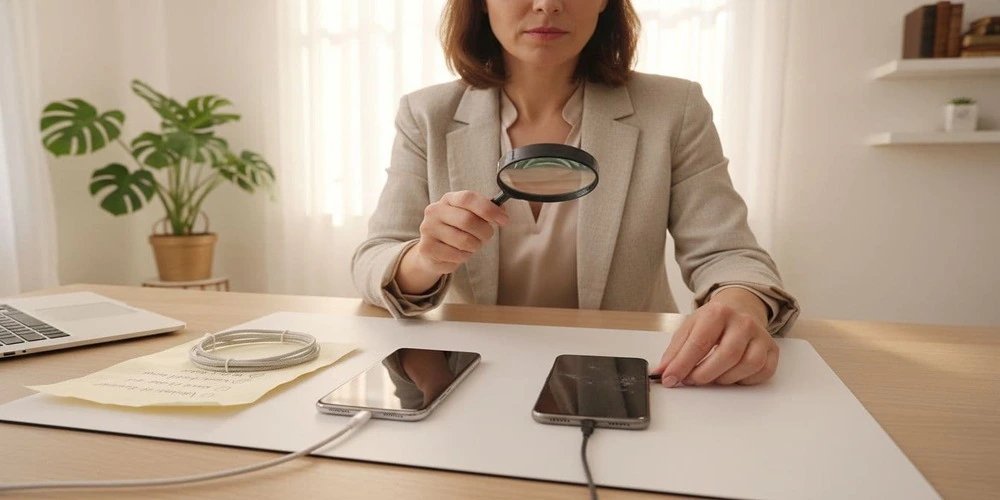
Shopping for a phone, laptop, TV, or game console often leads to confusing labels like refurbished, renewed, open box, pre-owned, or used. If you are comparing refurbished vs used electronics, the problem is simple: those words can change the risk level a lot, and many listings do not explain what happened to the device before it was resold.
This guide clears up the terms in plain language and focuses on the issues that cause most regrets: weak batteries, hidden damage, missing parts, and locked devices. It also explains what protections matter most (returns, warranty, and accountability), plus quick checks to run before paying and right after delivery. It is written for students, families, remote workers, and budget buyers who need something reliable without guessing.
Refurbished vs used Electronics: what the labels really mean

Photo by Alesia Gritsuk
In plain terms, refurbished usually means a device was inspected, tested, cleaned, and repaired if needed, then resold. That repair might be small (a new battery) or more involved (a screen replacement). The key point is that some process happened beyond simple resale, and there is often a return window or limited warranty.
Used (also called pre-owned or second hand) usually means the device is being sold in its current state. Testing might be minimal, and listings are often “as is.” A used device can be excellent, but the outcome depends on the seller’s honesty and the buyer’s ability to check for issues.
One warning matters for both categories: the label alone isn’t enough. Standards vary by who did the work, what was tested, and whether parts were replaced.
A quick comparison helps frame the decision:
| Factor | Refurbished (typical) | Used (typical) |
|---|---|---|
| Testing | Some level of inspection and testing | Often unknown or minimal |
| Repairs | Possible, sometimes documented | Rare, usually not documented |
| Condition | Often graded (excellent, good, fair) | Cosmetic wear varies widely |
| Returns | Common, but terms vary | Often limited or none |
| Lock checks (phones/tablets) | More likely checked | Higher risk if not verified |
For background on how these categories are commonly defined across retailers and repair communities, see iFixit’s overview of new vs used vs refurbished.
Certified refurbished, manufacturer refurbished, and seller refurbished
These labels look similar, but they don’t carry the same weight.
Manufacturer refurbished (factory refurbished) often means the brand or an authorized partner handled inspection and repairs. Quality control tends to be more consistent, and replacement parts are more likely to match original specs.
Certified refurbished usually means the device met a published standard, and it commonly comes with a limited warranty. The exact standard still varies, but “certified” programs tend to have clearer policies than generic listings.
Seller refurbished is the widest bucket. It can be careful work by a professional shop, or it can be basic cleaning plus a quick power-on test. That doesn’t make it unsafe, but it raises the need for proof and a strong return policy.
Documentation matters more than buzzwords. A listing that includes the model number, serial number, and a clear description of replaced parts is easier to resolve if something goes wrong later.
A practical guide to what buyers should confirm before purchasing refurbished devices is also summarized in PCMag’s checklist: 10 things to know before buying refurbished electronics.
Renewed, reconditioned, return stock, and open box (not the same thing)
Some terms are marketing first, and standards second.
Renewed and reconditioned often mean “refurbished,” but the process depends on the seller. One seller’s “renewed” could include full testing and a new battery, while another’s could mean a quick wipe-down.
Return stock usually refers to customer returns. The item may have been opened, briefly used, or returned due to a minor issue. Some return stock is tested and repackaged, some is simply resold.
Open box often means the product was returned or used as a display model. It might be close to new, but it may not have been repaired or stress-tested. In other words, open box can be closer to lightly used than truly refurbished.
The safest approach is to treat these terms as clues, not guarantees, and rely on what the seller states about testing, parts, and warranty.
The real risks buyers run into, and why they happen
Most disappointment comes from predictable failure points and unclear accountability.
Refurbished devices often lower risk because testing and returns add pressure to catch problems. Used devices can be fine, but the risk rises when the seller can’t prove the device’s history or won’t allow basic checks.
These problems show up across phones, laptops, tablets, consoles, TVs, headphones, and wearables:
- Wear that isn’t obvious in photos
- Parts that are near end-of-life (especially batteries)
- Hidden damage from drops, heat, or moisture
- Software or account locks that block setup
- Missing accessories, or low-quality replacements
The Verge offers a straightforward consumer view of the tradeoffs in what to know before buying refurbished gadgets, including why some categories (like audio gear) can be harder to judge quickly.
Common failure points across electronics (battery, heat, ports, screens, buttons)
Battery health is the number one issue for portable electronics. Batteries wear with time and charge cycles. A device can look perfect and still have poor runtime.
Red flags include rapid drain, random shutdowns, or battery swelling (a bulging back cover, lifting screen, or wobble on a flat surface). Swelling should be treated as a safety issue, not a minor defect.
Heat problems are the next common regret. Overheating can lead to slowdowns, random restarts, and shortened battery life. On laptops and consoles, loud fan noise can signal dust buildup or worn bearings. Thermal throttling is also common, where performance drops to control heat.
Ports and controls wear out quietly:
- Charging port wear can cause loose cables and intermittent charging.
- USB, HDMI, and headphone jacks can become unreliable.
- Controllers often develop stuck buttons or drift after heavy use.
Screens and speakers can be expensive to fix. Watch for dead pixels, uneven backlight, and screen burn-in on OLED displays. Audio issues show up as speaker distortion at moderate volume, or muffled microphone recordings.
Some wear is normal. Scratches and small scuffs are cosmetic wear. A bent frame, loose laptop hinge, or a screen that lifts at the edges is usually a bigger sign of past stress.
Locks, stolen devices, and account problems (phones and tablets especially)
Phone and tablet locks create a different class of risk because they can make a device unusable even if the hardware is fine.
Common lock problems include:
- Activation Lock on Apple devices (often called iCloud lock)
- Google FRP lock (Factory Reset Protection) on Android
- IMEI blacklist for stolen or unpaid phones
- Carrier locked phones that won’t work on other networks
- MDM lock (mobile device management) on business or school devices
Used devices have higher lock risk because the seller might forget to remove an account, or the device may have a disputed history. A real refurb process should include a factory reset and lock checks, but buyers should still confirm during setup. If setup asks for someone else’s Apple ID or Google account, that is a stop sign.
Warranty, returns, and accountability: what changes between refurbished and used
Protection is often the most practical difference between refurbished and used electronics.
With refurbished items, a limited warranty and return window are common, but terms vary. Common warranty ranges include 30 days, 90 days, and 6 to 12 months. The return window may be shorter than the warranty, and some sellers offer exchanges instead of refunds.
Key terms to verify before purchase:
- Return window length and whether it is refund or exchange
- Who pays return shipping
- Restocking fees (common on some categories)
- Whether the warranty covers parts and labor, or parts only
- Condition grading rules (excellent, good, fair) and what counts as “acceptable”
Used sales often have fewer options. Local sales are frequently final. That can be fine for buyers who can inspect and test, but it raises the cost of a mistake.
For a focused breakdown of what makes refurbished safer in practice, including how to judge policies and condition grades, see this guide on the safety of refurbished tech.
How to choose the safer option for your situation (quick decision rules)
The decision often comes down to downtime and testing ability.
Refurbished tends to fit situations where the device needs to work reliably right away. Used tends to fit buyers who can inspect in person, test fully, and walk away if anything feels off.
Additional buying guidance across categories is collected in the tech buying guides hub, which can help narrow checks by device type.
When refurbished is usually the safer choice
Refurbished is often the safer pick when:
- The device is for daily school or work use, and downtime isn’t realistic.
- Battery life matters, and the seller states battery health or replacement.
- A clean setup is needed, with lower risk of activation, FRP, or MDM locks.
- A warranty and a clear return policy are required.
- The device is a gift, where problems create stress and delay.
- The device can’t be tested in person before purchase.
“Certified refurbished” programs often have fewer surprises, but the warranty length and condition grade still need to be checked.
When used is acceptable (and when it is a bad idea)
Used can make sense when the device can be inspected in person, powered on, and tested for the main functions. Cosmetic wear is usually manageable if the price reflects it and the device runs well.
Used becomes a bad idea when:
- The listing is “as is” with no returns and vague photos.
- The seller won’t share a model number or serial number.
- The seller refuses to factory reset, or won’t allow setup checks.
- There are signs of water exposure (fogged camera lens, corrosion in ports, tripped water indicators).
- The device runs unusually hot, crashes, or shows severe battery drain.
- Accessories look brand-new but suspicious, which can signal counterfeit chargers or fake cables.
Checklists to avoid getting burned (before you pay and right after you get it)
Most bad outcomes are preventable with a few targeted checks. The goal is to collect proof, confirm device status, and catch functional defects fast while returns still apply.
General reference and related explainers are available on TechBasics101, including device-specific buying tips.
Before you pay: questions and proof to ask for
- Exact model number and key specs (storage, RAM, screen size, chip).
- Serial number (or other device ID) and confirmation it matches the listing.
- Battery details where available: battery health percent and battery cycles.
- What was replaced (battery, screen, ports), and whether parts are original or aftermarket parts.
- Whether any tamper indicators or tamper seals are broken (if applicable).
- Confirmation of no water damage, including visible water damage indicators.
- What accessories are included (charger, cable, stylus, controller), and whether they are original.
- Return policy details: return window, refund vs exchange, shipping costs, restocking fees.
- Warranty terms: length and what it covers.
- Proof of purchase when possible, especially for higher-value devices.
- For phones and tablets: confirmation it is factory reset and not carrier locked when a SIM unlocked device is needed.
First hour after delivery: quick tests that catch most problems
- Inspect for cracks, bent frames, loose seams, and port corrosion.
- Charge and test every port (power, USB, HDMI, headphone jack).
- Test speakers and microphone with a short recording and playback.
- Test cameras (front and rear), flash, and autofocus.
- Check Wi-Fi, Bluetooth, and cellular connection (if relevant).
- Run a simple heat check, use the device for 10 to 15 minutes, watch for overheating and sudden slowdowns.
- Check the display for dead pixels, uneven brightness, and burn-in on solid color screens.
- Confirm storage and RAM match the listing in system settings.
- Confirm there is no activation lock, FRP lock, or MDM lock during setup.
- Update software, then restart and confirm stability.
- If appropriate, do a clean factory reset after updates to confirm setup works normally.
- Document issues immediately with photos or short video for return claims.
FAQ: refurbished and used electronics questions buyers ask
Are refurbished electronics reliable?
They can be, but reliability depends on who refurbished the device and what was tested or replaced. A clear return window and a limited warranty reduce the risk. Vague listings with no policy details carry more uncertainty.
Is “renewed” the same as refurbished?
Often it is used to mean refurbished, but the standard varies by seller. The safer approach is to look for stated testing steps, condition grading, and warranty coverage, not the word on the label.
What battery health should be expected on a refurbished phone or laptop?
Many refurb programs target strong battery health, but policies differ. A practical target is a battery that still holds most of its original capacity and does not show swelling or random shutdowns. Battery health percent and return terms matter more than promises.
How can a phone purchase avoid iCloud lock, Google FRP, or an IMEI blacklist?
The safest steps are to confirm the device is factory reset, complete setup without another person’s login, and verify cellular service works if the device includes it. If a seller cannot prove unlock status or asks to “skip setup,” the risk is high.
Is open box safer than used?
Sometimes, because open box items may have fewer hours of use. But open box is not always repaired or stress tested like refurbished. Warranty and return terms should be checked the same way as any other purchase.
Should aftermarket parts in refurbished devices be a concern?
Parts quality matters most for screens and batteries. Cheap parts can cause poor battery life, touch problems, brightness issues, or extra heat. Clear documentation on replacements and a warranty help limit that risk.
When deciding refurbished vs used electronics, which choice usually has less risk?
Refurbished usually has less risk when it includes testing plus a return policy or warranty. Used can still be a good deal, but only if you can verify device status, test key functions, and walk away if something feels off.
Conclusion
The core difference is accountability. When deciding refurbished vs used electronics, refurbished usually means the device was tested and sold with a return policy or warranty. Used usually means the buyer takes on more of the risk, especially for battery wear, hidden damage, and device locks. The practical takeaway is simple: choose the option with a clear return window, then run the first hour checks immediately so problems surface while returns are still possible.
1 thought on “Refurbished vs Used Electronics: What’s the Real Difference?”