Best HDMI Cable for 4K 60Hz That Actually Works
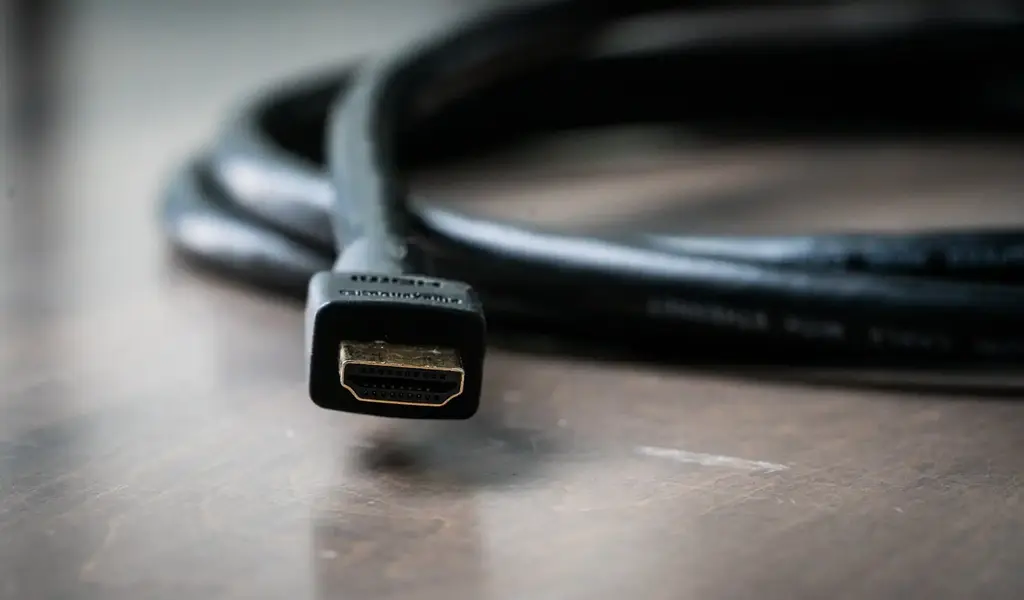
When you search for the best HDMI cable for 4K 60Hz, you’re not chasing a “premium” label. You just want your 4K TV or monitor to run smoothly at 60Hz without issues like being stuck at 30Hz, screen flicker, or HDR not turning on.
The issue is that HDMI cable listings are full of confusing terms like HDMI 2.0, ultra-high speed, and gold-plated connectors, while most guides skip the details that actually affect real-world performance.
In this guide, you’ll learn exactly which HDMI cable works for true 4K 60Hz, how cable length impacts signal stability, and the typical setup mistakes that cause frustration and wasted money.
For more practical tech guides and clear buying advice, visit our homepage at TechBasics101.
Best HDMI cable for 4K 60Hz, quick answer (TL,DR)
-
\t
- HDMI 2.0 is enough for 4K 60Hz in most setups because it targets 18Gbps bandwidth (often described as an 18Gbps HDMI cable requirement for 4K60).
- Look for Premium High Speed HDMI Cable certification for 4K60, HDR, and reliable performance. Choose Ultra High Speed if you want 4K 120Hz later and 8K compatibility now.
- For passive (non-powered) copper cables, safest results are usually 6 ft to 10 ft, 15 ft can work with good quality, and longer runs get risky.
- Make sure your setup supports HDR support, HDCP 2.2 (needed for many 4K streaming apps and 4K Blu-ray), and ARC or eARC if TV audio goes to a soundbar/receiver.
- Simple buy recommendation: Budget (certified Premium High Speed), mid-range (braided Premium High Speed for durability), upgrade-minded (Ultra High Speed 48Gbps).
\t
\t
\t
\t
For a reality check on pricing and how little “expensive” matters for picture quality, sources like CNET’s HDMI cable guide and ZDNET’s picks both land on the same theme: reliability beats hype.
What actually matters for a 4K HDMI cable 60Hz setup (and what does not)
Most 4K 60Hz problems are not mysterious. They’re usually one of four things: not enough high bandwidth, the wrong TV input setting, too much long length signal loss, or an older port in the chain.
A few common examples:
-
\t
- PS5 to TV: the cable is fine, but the TV’s HDMI port is set to “Standard” instead of “Enhanced,” so the console drops to 4K 30Hz or disables HDR.
- PC to 4K monitor: the cable is fine, but the PC is plugged into an older HDMI port on the monitor, or Windows is set to 30Hz.
- Apple TV 4K to receiver to TV: the receiver’s HDMI board can cap bandwidth, so the final result is 4K 30Hz even with a good cable.
\t
\t
What doesn’t matter much? Marketing extras like gold-plated connectors rarely fix signal problems. If a cable meets spec, the picture is digital: it either works correctly or it doesn’t. Where build quality does help is in day-to-day use. A snug connector, strain relief, and a nylon braided cable can prevent wear, especially behind a wall-mounted TV or in a tight entertainment center.
Does HDMI 2.0 support 4K 60Hz? Bandwidth, HDR, and the 18Gbps rule
Yes, HDMI 2.0 supports 4K at 60Hz for most normal formats. In plain terms, HDMI 2.0-class gear is designed around 18 Gbps. That’s why people search for “HDMI cable bandwidth 18Gbps” when they want 4K60 to work without compromise.
For HDR, the cable still matters, but not in the way listings imply. HDR video often uses 10-bit color (more shades, smoother gradients). A stable 18Gbps path helps HDR stay on without dropouts. If the signal is unstable, HDR may toggle off, or the screen may flicker during “handshake” moments.
For PC use, one detail matters more than movies: chroma subsampling 4:4:4 HDMI (or full RGB). This affects text clarity. If the signal drops to 4:2:0, movies may still look fine, but desktop text can look soft. That’s why an HDMI cable for 4K monitor work should focus on reliable 4K60 with clean color.
HDMI 2.1 class cables (often marketed as Ultra High Speed) support up to 48Gbps. The practical upside is future upgrades: 4K 120Hz and other features. The nice part is that Ultra High Speed cables are backward compatible, so buying one now can be a smart move if the price is close.
For a simple overview of how to choose without getting buried in jargon, Anker’s plain-language explainer is useful: How to choose an HDMI cable.
Cable labels you can trust: Premium High Speed vs Ultra High Speed
Cable listings often say “HDMI 2.0 cable” or “HDMI 2.1 cable.” That’s usually marketing shorthand, not a real guarantee. What matters more is whether the cable is certified and clearly states the category.
-
\t
- Premium High Speed HDMI Cable is the common sweet spot for 4K 60Hz, HDR, and 18Gbps.
- Ultra High Speed HDMI Cable is the newer category, built for 48Gbps and the higher demands of HDMI 2.1 features.
\t
In packaging, certification is often shown through specific wording and a scannable label (often a QR code). The key idea is simple: a cable that’s been verified to meet the category spec is less likely to cause random problems.
Also, don’t skip HDCP 2.2. It’s not a “picture quality” feature, it’s copy protection many services require for 4K playback. Without it, some devices fall back to lower resolution or refuse to play 4K streams at all.
How we chose the best HDMI cable for 4K 60Hz
This isn’t about picking the most expensive cable. It’s about choosing the least risky one for real homes.
Selection checklist:
-
\t
- Tested bandwidth: at least 18Gbps for a 4K HDMI cable 60Hz setup
- HDR support: stable 4K HDR without flicker or dropouts
- HDMI cable with HDCP 2.2: needed for many 4K streaming and disc sources
- ARC or eARC needs: important for a TV + soundbar setup
- Connector fit: snug ends that don’t wobble in loose ports
- Durable construction: strain relief, decent jacket, braided option if needed
- Length guidance: shortest practical cable, and a plan for longer runs
\t
\t
\t
\t
\t
\t
Price is a weak predictor of results. In most cases, expensive cables don’t improve the image. They mainly buy better materials and fewer headaches from loose connectors.
Buyers checklist for 4K 60Hz HDR (simple pass,fail tests)
Before buying, confirm these basics:
-
\t
- Port check: the TV or monitor HDMI port supports 4K60 (HDMI 2.0 or better).
- Settings check: enable high-bandwidth mode (often called Enhanced, UHD Color, or Deep Color).
- Length check: keep passive copper short when possible.
- Use case check: gaming and PC text can be less forgiving than movies.
\t
\t
\t
A certified premium high speed HDMI cable is usually the safest pick for 4K 60Hz HDR at normal lengths.
Comparison table to make the choice easy (18Gbps vs 48Gbps, ARC,eARC, long length advice)
| Cable type | Max bandwidth | Best for | HDR support | ARC,eARC notes | Recommended length ranges |
|---|---|---|---|---|---|
| Premium High Speed (certified) | 18Gbps | 4K TV, 4K monitor, 4K streaming, 4K Blu-ray, PS5/Xbox at 4K60 | Yes (common for HDR10/Dolby Vision in many setups) | ARC works well, eARC depends on devices but cable is usually fine | Passive copper: best 6-10 ft, often OK at 15 ft with quality |
| Ultra High Speed (certified) | 48Gbps | Future upgrades, 4K 120Hz gaming, newer receivers, 8K compatibility | Yes | Better fit for eARC-heavy home theater gear and 2.1 feature sets | Passive copper: best 6-10 ft, 15 ft can vary, long runs still may need active or fiber |
Best HDMI cable for 4K 60Hz picks by real use case (TV, monitor, PS5, Xbox, projector)
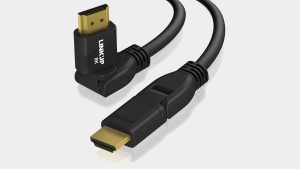
The goal here is simple: match the cable type to the job, then pick a reputable brand with the right label. Brands that are commonly trusted for consistent spec labeling include Monoprice, Amazon Basics, Belkin, UGREEN, and Anker. Reviews and editorial lists can help spot naming patterns and common pitfalls, like TechAdvisor’s HDMI cable roundup.
Best HDMI cable for 4K TV 60Hz (and streaming devices like Apple TV 4K)
What to buy: Certified Premium High Speed HDMI cable in 6 ft to 10 ft.
Why it works: It meets the typical 18Gbps need for HDMI cable 4K UHD at 60Hz, and it’s usually enough for HDR and streaming copy protection (HDCP 2.2), assuming the TV input is set correctly. ARC support is common and helps if the TV sends audio back to a soundbar.
Ultra High Speed makes sense when a buyer wants longer-term flexibility or plans to upgrade to a 4K 120Hz TV later.
Best HDMI cable for PS5 4K 60Hz and Xbox Series X 4K (smooth gaming, HDR, VRR readiness)
What to buy: Premium High Speed for 4K60 today, or Ultra High Speed if 4K 120Hz is likely later.
Why it works: 4K at 60fps is within HDMI 2.0 bandwidth for many formats. Ultra High Speed often aligns with gaming upgrades and can carry “bonus features” tied to HDMI 2.1 setups, like VRR and ALLM, but the cable alone doesn’t create those features. The TV port and its settings still decide.
Best HDMI cable for PC to 4K monitor (clear text, 60Hz refresh rate, 4:4:4)
What to buy: Certified Premium High Speed for 4K60, or Ultra High Speed if the price is similar.
Why it works: PC use often benefits from full RGB or 4:4:4 for sharp text. A solid cable prevents dropouts that cause the GPU to fall back to lower refresh rates or reduced color.
Check this first:
-
\t
- Use the monitor’s HDMI port that supports 4K60 (some monitors have mixed ports).
- Set Windows or macOS to 60Hz refresh rate in display settings.
- Turn HDR on only if it’s wanted, since HDR can change bandwidth demands and handshake behavior.
\t
\t
Best HDMI cable for 4K projector and home theater (longer runs, receiver, soundbar)
What to buy: Short runs can use Premium High Speed. For ceiling mounts and longer routes, plan for active HDMI or fiber.
Why it works: Projector installs often push cable length. That increases the chance of HDMI cable signal loss. A passive cable that works on a desk may fail in a ceiling run with tight bends and stress.
For an example of an active cable designed for 4K60 over longer distances, see specs on products like StarTech’s 30ft active 4K 60Hz HDMI cable.
HDMI cable length for 4K 60Hz: how long is too long?
For 4K 60Hz, short passive cables are the least risky. Around 6 ft to 10 ft is a safe range for most setups. At 15 ft, quality starts to matter more, and some cables will work while others won’t. At 25 ft and beyond, passive copper becomes a gamble, so active or fiber options are often the better move.
This isn’t about brand loyalty. It’s physics and signal loss.
Practical tips that prevent headaches:
-
\t
- Avoid adapters and couplers when troubleshooting.
- Test the full chain on the floor before routing in-wall.
- If a wall plate is involved, bypass it as a test step.
\t
\t
For general background on how distance affects HDMI reliability, references like GearIT’s overview of HDMI cable length limits can help frame expectations.
Passive vs active HDMI cable for long length runs (and when fiber makes sense)
-
\t
- Passive HDMI (copper): no power, simplest, best for short to medium lengths.
- Active HDMI (powered copper): uses electronics to boost the signal, often one-directional.
- Fiber HDMI: converts the signal to light, strong choice for very long runs and in-wall installs.
\t
\t
A simple rule works well: go passive when the run is short, go active or fiber when it’s long. Ultra High Speed certification is common on HDMI 2.1 cables, but long-run success still depends on cable design, not just a label.
Quick fixes for flicker, black screen, and random dropouts on long cables
-
\t
- Swap in a shorter cable to confirm it’s a length problem.
- Reseat both ends, and reduce strain at the ports.
- Try a different TV HDMI input that supports high bandwidth.
- Bypass the receiver or soundbar, connect the device direct to the TV.
- Power cycle devices to clear handshake glitches.
- If the run must stay long, move to an active or fiber HDMI cable.
\t
\t
\t
\t
\t
What HDMI do I need for 4K 60Hz?
A Premium High Speed HDMI Cable (18Gbps) is the typical answer for 4K 60Hz. HDMI 2.0 ports on the TV and source device are usually enough, as long as the high bandwidth input mode is enabled. HDR support and HDCP 2.2 matter for modern streaming and 4K Blu-ray playback.
An Ultra High Speed cable also works because it’s backward compatible.
Do I need HDMI 2.1 for 4K 60fps?
No, HDMI 2.1 is not required for 4K at 60fps. An HDMI 2.0-class path (18Gbps) can handle 4K60 in many common formats.
HDMI 2.1 helps when the target is 4K 120Hz, or when building around features like VRR. It also helps future upgrades, but it won’t fix a TV input that’s set to “Standard,” or a receiver that caps bandwidth.
How long can an HDMI cable be for 4K 60Hz?
Short passive cables are safest for 4K 60Hz, with 6 ft to 10 ft as the easy recommendation. Around 15 ft can still work with a well-made cable, but reliability varies. At 25 ft and longer, active or fiber HDMI is often the simplest path to stable results.
Signs of signal loss include sparkles, flicker, audio drops, and black screens during HDR switching.
Does HDMI 1.4 support 4K 60Hz?
In most cases, no. HDMI 1.4 is commonly associated with 4K at 24Hz to 30Hz, which is why many setups get stuck at 30Hz.
To confirm what a port can do, check the TV or monitor specs for that exact HDMI input, and check the source device output settings. A fast test is to set the device to 2160p at 60Hz, then enable the TV’s Enhanced or Deep Color mode if available.
Common mistakes that cause 4K stuck at 30Hz, HDR not working, or flicker
-
\t
- Wrong HDMI input on the TV: only some ports support full bandwidth.
- Enhanced mode not enabled: “UHD Color” or “Deep Color” is off by default on many TVs.
- Too-long passive cable: especially at 15 ft to 25 ft and beyond.
- Confusing cable labels: “HDMI 2.0 cable” text without real certification.
- Older receiver in the middle: AVR HDMI boards can cap at 4K30.
- Adapters and capture devices: some limit bandwidth and block HDR.
\t
\t
\t
\t
\t
TV and monitor settings to check first (Enhanced mode, UHD Color, Deep Color)
Many TVs ship with a conservative HDMI setting to avoid compatibility calls. The names vary by brand, but the idea is the same: turn on the mode meant for high bandwidth signals.
Basic steps:
-
\t
- Open TV input settings for the HDMI port in use.
- Enable Enhanced, UHD Color, Deep Color, or similar.
- Confirm the source device is set to 4K 60Hz output, and toggle HDR only if wanted.
\t
\t
When ARC,eARC and soundbars break 4K 60Hz (and how to test it)
The quickest test is a direct connection. Connect the console or streamer straight to the TV, confirm 4K60 and HDR works, then add the soundbar or receiver back in.
ARC sends audio back over HDMI. eARC supports higher-quality audio formats and is common on newer TVs and soundbars. A good cable helps, but an older receiver can still cap video bandwidth even when ARC audio works fine.
FAQ: Best HDMI cable for 4K 60Hz (simple answers)
What HDMI cable do I need for 4K 60Hz HDR?
A certified Premium High Speed (18Gbps) cable is the minimum safe pick for 4K60 HDR. An Ultra High Speed cable also works and adds headroom for upgrades. For streaming and discs, HDCP 2.2 support in the chain is important.
Is HDMI 2.0 enough for 4K 60Hz?
Yes, for most setups. The TV or monitor port must support it, and the HDMI input often needs Enhanced or Deep Color enabled.
Do expensive HDMI cables matter for 4K? Can an HDMI cable affect 4K quality?
Most of the time, no. Digital video usually looks identical when the signal is stable. Spending more often buys durable construction, a better jacket, and stronger strain relief, not a sharper picture. Bad cables show warning signs like sparkles, dropouts, or handshake failures.
What is the best HDMI cable length for a 4K TV?
The best length is the shortest that reaches comfortably. Extra slack adds clutter and can stress ports. For longer routes, plan and consider active or fiber HDMI rather than hoping a long passive cable will work.
Conclusion
The main takeaway is simple: the Best HDMI Cable for 4K 60Hz is usually a certified Premium High Speed (18Gbps) cable at a sensible length. Ultra High Speed is a good upgrade pick for future proofing, gaming features, and 8K compatibility, but it’s not required for 4K60.
Next step: check the TV or monitor port settings, buy the shortest cable that fits cleanly, then test 4K 60Hz and HDR right away so problems show up while the setup is still easy to change.

Related Articles