

Looking for the best budget laptops for programming in India or the USA? Clear spec rules, real model picks, and honest performance tips for students and beginners.
Choosing a laptop when money is tight can feel stressful. You want smooth coding, not a fan screaming every time you open VS Code. You also do not want to waste savings on specs you do not need. This guide focuses on the best budget laptops for programming that make sense for students and beginners in India and the USA.
Many readers worry about the same things. Will this machine run VS Code, Python, Java, Android Studio, and a pile of browser tabs without freezing? Will it last through a full degree or bootcamp. Will it fit a tight budget in INR, USD, or even PKR.
The goal here is simple. Clear, non‑techy explanations, real model suggestions, and honest talk about what budget hardware can or cannot do. Think of it as a senior student writing down everything that would have helped during the first year.
Who This Budget Programming Laptop Guide Is For
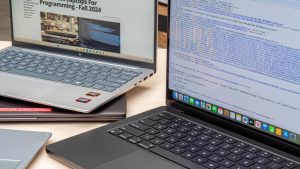
This guide targets college CS and IT students, BCA or BTech students, coding bootcamp learners, self‑taught beginners, and junior developers.
Typical use cases include learning Python, Java, C++, JavaScript, and basic web development. Common tools are VS Code, PyCharm, IntelliJ, Android Studio, simple local servers, and Git clients.
The focus is best value, not fancy branding. Price examples focus on the USA (under about 600 dollars) and India (around ₹35,000 to ₹55,000). Some ranges like best budget laptops for programming under 100k PKR or best laptops for coding under 60k PKR appear only as extra context.
Quick Specs Checklist: What Every Budget Coding Laptop Must Have
A short checklist helps filter hundreds of similar models. Ignore most marketing terms and focus on a few numbers.
Key points to look at:
-
\t
- CPU: Recent Intel Core i3 or Ryzen 3, better if i5 or Ryzen 5
- RAM: 8 GB minimum, 16 GB preferred if budget allows
- Storage: SSD, at least 256 GB
- Display: 14 or 15.6 inch, Full HD (1920×1080)
- Battery: At least 4 to 6 hours of real coding use
- Ports: USB‑A, USB‑C if possible, HDMI for an external monitor, headphone jack
\t
\t
\t
\t
\t
If a laptop fails this checklist, it is usually not a good programming laptop, even if it is cheap.
Minimum Laptop Specs for Programming (So You Do Not Regret Your Purchase)

The minimum laptop specs for programming in 2025 should look like this:
-
\t
- CPU: Intel Core i3 (11th gen or newer) or AMD Ryzen 3 (5000 series or newer)
- RAM: 8 GB
- Storage: 256 GB SSD
- Display: Full HD resolution
\t
\t
\t
Laptops with 4 GB RAM or only an old HDD feel slow even for simple coding. Opening VS Code, Chrome, and a terminal at the same time will already push them. Even if the price looks attractive, that type of entry‑level notebook usually causes regret after a few months.
Ideal RAM for Programming and Multitasking
The ideal RAM for programming today is 8 GB as a real minimum, 16 GB if you can afford it.
With 8 GB RAM, a student can keep VS Code open, run a browser with several tabs, and stream music from Spotify at the same time. Light use of PyCharm or IntelliJ also works, as long as other heavy apps stay closed.
With 16 GB RAM, multitasking becomes smoother. Android Studio, Docker containers, many Chrome tabs, and multiple projects stay open without the same slowdowns. For laptops for coding and multitasking that should last several years, 16 GB is worth the extra money.
Best Processor for Coding on a Low Budget
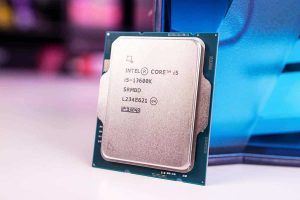
For most people, the best processor for coding on a budget is a mid‑range chip from the last few generations.
Good options in 2025:
-
\t
- Intel Core i3 or i5, 11th to 13th gen
- Intel Core Ultra 5 in newer models
- AMD Ryzen 3 or Ryzen 5, 5000 or 7000 series
\t
\t
More cores help when compiling, running test suites, or juggling several tools. But paying extra for a high‑end CPU while keeping only 4 GB RAM or a tiny SSD is a poor trade. Balanced specs matter more than a top‑tier chip.
SSD vs HDD for Programming Laptops
The debate around SSD vs HDD for programming laptops is simple in practice.
An SSD makes the laptop start in seconds, not minutes. VS Code, PyCharm, browsers, and local Node or Python servers open faster. Package installs and updates feel smoother.
An HDD is slower, heavier, and more fragile. For a modern programming laptop, SSD only is the right call. Aim for at least 256 GB SSD at first. If money is tight, start there and upgrade to a bigger drive later.
Integrated vs Dedicated Graphics for Coding
For most beginners, web developers, and students, integrated graphics are enough. Intel UHD, Intel Iris Xe, or AMD Radeon integrated GPUs handle coding, browsers, video calls, and Full HD displays without trouble.
The integrated vs dedicated graphics for coding question mainly matters for game development, 3D work, heavy machine learning, or serious video editing. In those cases, a dedicated GPU helps. For everyone else, skipping a GPU saves money that is better used on more RAM or a larger SSD.
Best Budget Laptops for Programming in the USA (Under About $600)

This section covers practical budget laptops for programming on a budget in the US market, usually under about 600 dollars. Prices change often, so current deals should be checked on major retailers.
Common picks in this space include ASUS Vivobook 16 M1605, Acer Aspire 5, Lenovo IdeaPad 3, and HP Pavilion x360. All can serve as best cheap laptops for programming for students and beginners.
ASUS Vivobook 16 (USA): Big Screen Budget Laptop for Coding
Typical spec under 600 dollars:
-
\t
- CPU: Intel Core Ultra 5 115U or similar
- RAM: 8 GB
- Storage: 256 GB SSD
- Display: 16 inch Full HD
\t
\t
\t
The large 16-inch panel helps show editor, browser, and terminal side by side. For VS Code, Python, Java, and basic web development, this machine performs well.
Trade‑offs include a mostly plastic body and only 8 GB RAM in many trims. It is not a strong gaming laptop. Best for: students who want a big display for reading long code files and documentation.
Acer Aspire 5 (USA): Best All‑Round Budget Laptop for Coding Students
Common configurations under 600 dollars:
-
\t
- CPU: AMD Ryzen 5 or Intel Core i3/i5
- RAM: 8 GB
- Storage: 256 to 512 GB SSD
- Display: 15.6 inch Full HD
\t
\t
\t
The Acer Aspire 5 line offers solid everyday performance and often allows RAM upgrades. It handles VS Code, several browser tabs, a Git client, and tools like PyCharm or IntelliJ for small projects.
Pros include a decent keyboard and upgrade options. Cons are average battery life and a plastic feel. Who should buy this: college students and budget laptops for developers who want a flexible machine that can be upgraded later.
Lenovo IdeaPad 3 (USA): Simple and Reliable for Beginners
Typical spec range:
-
\t
- CPU: Ryzen 5 5500U or recent Intel Core i3/i5
- RAM: 8 GB
- Storage: 256 GB SSD
- Display: 15.6 inch Full HD
\t
\t
\t
The Lenovo IdeaPad 3 is a straightforward choice for best laptops for programming beginners. It runs VS Code, Java, Python, and basic web projects smoothly, and battery life is often slightly better than some rivals in the same price band.
It can struggle with very heavy multitasking and big Android Studio projects, but for a beginner stack it works well. Best for: users who care more about battery and reliability than looks.
HP Pavilion x360 (USA): Touchscreen 2‑in‑1 for Class and Light Coding
Key specs around 600 dollars:
-
\t
- CPU: Intel Core i3/i5 or AMD Ryzen 3/5
- RAM: 8 GB
- Storage: 256 GB SSD
- Display: 14 inch Full HD touchscreen, 2‑in‑1
\t
\t
\t
The Pavilion x360 is a convertible laptop that folds into tablet mode. This helps for taking notes, reading PDFs, or sketching UI ideas.
Performance is fine for light coding, VS Code, and smaller projects. It is not as strong as some non‑convertible rivals at the same price. Best for: students who want one device for class, movies, and coding practice.
Best Budget Laptops for Programming in India (Around ₹35,000 to ₹50,000)
For India, the focus is programming laptops around ₹35,000 to ₹50,000 that still feel fast. Sales on Amazon and Flipkart can push some models below this range during offers.
In this band, Acer Aspire 5 and Lenovo IdeaPad 3 or Slim 3 often give the best value laptops for coding. ASUS Vivobook 16 and HP Pavilion x360 sit around the top of the budget.
ASUS Vivobook 16 (India): Big Screen Coding Laptop Under ₹50,000
Common configuration around ₹45,000 to ₹50,000:
-
\t
- CPU: Intel Core i5 13420H
- RAM: 8 or 16 GB
- Storage: 512 GB SSD
- Display: 16 inch Full HD
\t
\t
\t
The large screen makes it easier to read long code files, docs, and multiple panes. Performance is strong for web dev, Python, and general student work.
Trade‑offs are a plastic build and, on some variants, limited RAM upgrade options. Still, it is a strong choice for students who prefer a bigger display.
Acer Aspire 5 (India): Value Pick for CS and Engineering Students
Typical configurations around ₹40,000 to ₹48,000:
-
\t
- CPU: Ryzen 5 7430U or Intel Core i5 12th gen
- RAM: 8 or 16 GB
- Storage: 512 GB SSD
- Display: 15.6 inch Full HD IPS
\t
\t
\t
This model is a classic example of affordable laptops for coding. It runs VS Code, local Node or Django servers, and simple Android Studio projects reliably.
Pros include a good spec‑to‑price balance and often upgradeable RAM. Cons are average battery life and a plastic chassis. It is one of the best laptops for programming students on a budget in India.
Lenovo IdeaPad 3 (India): Long Battery Life for Campus and Coaching
Typical spec range, ₹38,000 to ₹45,000:
-
\t
- CPU: Ryzen 5 7520U or Intel i5 12th gen
- RAM: 8 GB (sometimes 16 GB)
- Storage: 512 GB SSD
- Display: 15.6 inch Full HD IPS
\t
\t
\t
This laptop suits students who move between hostel, classroom, and coaching centers. Battery life often reaches a full day of mixed use at moderate brightness.
Heavy Android Studio workloads or very large builds can feel slow, but it is fine for coding, notes, basic projects, and online classes.
HP Pavilion x360 (India): 2‑in‑1 Laptop for Notes, Reading, and Light Coding
Budget Pavilion x360 models around ₹45,000 to ₹50,000 usually include:
-
\t
- CPU: Intel Core i3 or i5
- RAM: 8 GB
- Storage: 256 or 512 GB SSD
- Display: 14 inch Full HD touchscreen
\t
\t
\t
Tablet mode helps read PDFs, annotating slides, and studying. For pure performance, a non‑touch laptop at the same price can be faster, but the flexibility is attractive to many students.
How These Cheap Programming Laptops Perform in Real‑World Coding
Specs do not tell the full story. Cheap programming laptops for students behave in a fairly predictable way in daily use.
With SSD storage and 8 GB RAM, they run editors, browsers, and simple servers well. The limits appear with heavy IDEs, very large projects, or extreme multitasking.
Running VS Code, Browsers, and Git All Day
On these machines, VS Code, Chrome or Firefox, a Git client, and a chat app can stay open all day.
Users may see slowdowns if dozens of tabs or many heavy browser extensions are left open. Closing unused tabs, restarting the IDE sometimes, and keeping background apps under control helps.
For web development and basic scripting, this level of hardware is more than enough.
Using PyCharm, IntelliJ, and Android Studio on a Budget Laptop
PyCharm and IntelliJ feel heavier than VS Code but are usable on 8 GB RAM for small to mid‑size projects.
Android Studio is the toughest case. Initial indexing and builds can feel slow, especially with an emulator running. Keeping fewer apps open, using a lighter IDE theme, and disabling unused plugins can help.
For laptops for android development at this price, simple apps and student labs are realistic. Enterprise‑scale projects are not.
Coding, Compiling, and Multitasking Without Freezing Your System
Compiling C++ or Java, running Node or Python servers, and testing small databases like SQLite or basic MySQL setups work fine.
With 8 GB RAM, users should stick to one heavy IDE at a time. With 16 GB, more apps can stay open in parallel. Using one external monitor through HDMI helps productivity but can stress weak GPUs if high refresh rates or 4K panels are used, so a standard Full HD screen is best.
Battery Life, Keyboard, and Display: Comfort Matters for Long Coding Sessions
Raw speed is only part of the story. Comfort features decide whether long coding sessions are pleasant or tiring.
Battery life, keyboard feel, trackpad accuracy, and display quality all affect focus and health for student laptops for programming.
Real Battery Life for Coding, Not Just YouTube
Brand claims of 8 to 10 hours often refer to light video or idle usage.
For real coding, with VS Code, browser, Wi‑Fi, and some builds running, 4 to 7 hours is more realistic on most budget‑friendly computers. Screen brightness, background apps, Bluetooth, and external devices all reduce runtime.
Simple steps help: lower brightness slightly, close unused apps, and use battery saver modes during reading or writing sessions.
Keyboard and Trackpad: Why Programmers Should Care More
Programmers type thousands of characters per day. A bad keyboard slows work and causes strain.
Look for reasonable key travel, good spacing, and stable keys. Backlit keyboards help in dim hostel rooms and late‑night labs. Trackpads should be accurate, with clear clicks and no jumpy pointers.
Many serious students add a cheap external mouse and, for home use, an external keyboard to create a more comfortable setup.
Display Quality: Reading Code Without Killing Your Eyes
At least Full HD resolution is important. It shows more lines of code and keeps text sharp.
Brightness and viewing angles affect eye strain, especially in bright rooms. Matte screens reduce reflections. Simple tweaks like adjusting font size, using dark mode themes, and later adding an external monitor improve comfort.
Linux, Dual‑Boot, and Future Upgrades on Budget Laptops
Many software engineering students use Linux at some stage, either through dual‑boot or a dedicated device.
Hardware upgrade paths also decide how long a low‑cost programming machine stays useful.
Linux Compatibility for Programming Students
Linux offers strong terminals, package managers, and a server‑like environment, which is helpful for web development and backend work.
Laptops with Intel or AMD CPUs and integrated graphics usually work better with common Linux distributions. Typical trouble areas are Wi‑Fi drivers, touchpads, and secure boot settings. Searching the exact model name plus “Linux” before buying is smart.
Some readers may later prefer Macs. For that path, a guide on Apple silicon Macs for coding and development provides extra context.
Dual‑Boot Tips on a Budget SSD
Dual‑boot means installing Windows and Linux on the same SSD, each in its own partition.
For this setup, 256 GB SSD is the bare minimum. 512 GB gives more space for both systems and projects. A simple split is to leave enough room for Windows, then create one or two Linux partitions for the system and home folders.
Before changing partitions, always back up important files to an external drive or cloud storage.
RAM and Storage Upgrades to Keep Your Laptop Useful Longer
Upgradability is key for the best low‑cost laptops for coding 2025 and beyond.
Some models, like many Acer Aspire 5 units, allow RAM and SSD upgrades. Others have soldered RAM that cannot be changed. Checking reviews, support pages, or YouTube guides for the exact model helps.
Adding RAM or a larger SSD in two or three years can extend the life of cheap laptops for developers without buying a new machine.
Price‑to‑Performance: How to Judge the Best Value Coding Laptop
Good value is not just the lowest price. It is the right mix of CPU, RAM, SSD size, display, and build quality for the budget.
This applies to best laptops for programming on a budget in both India and the USA, and to buyers in other regions watching similar ranges in PKR.
What You Can Expect at Different Budget Levels
In the USA:
-
\t
- Under 500 dollars: often older CPUs, but SSD storage and 8 GB RAM
- 500 to 600 dollars: newer Ryzen 5 or Intel i5 chips, better screens, sometimes 512 GB SSD
\t
In India:
-
\t
- Under ₹40,000: basic CPUs, 8 GB RAM, 256 or 512 GB SSD
- ₹40,000 to ₹50,000: stronger CPUs, better displays, some 16 GB options
\t
In Pakistan, bands like best budget laptops for programming under 100k PKR or best laptops for coding under 60k PKR roughly match these spec levels, though pricing can differ by taxes and imports.
Spec Trade‑Offs: Where to Spend and Where to Save
Trade‑offs are simple for affordable laptops for coding.
Helpful rules:
-
\t
- Do not buy 4 GB RAM just to get a slightly faster CPU
- Always pick SSD storage instead of HDD
- Full HD screens are worth a small extra cost
- For most people, skip dedicated GPUs and put that money into 16 GB RAM
\t
\t
\t
Following these rules usually leads to the best value laptops for coding that last longer and feel faster in daily use.
FAQ: Best Budget Laptops for Programming (Quick Answers)

Which budget laptop is best for programming?
For many readers, Acer Aspire 5 and Lenovo IdeaPad 3 are safe default picks in both the USA and India.
Both lines often include Ryzen 5 or Intel i3/i5 CPUs, 8 GB or 16 GB RAM, and 256 to 512 GB SSDs. These specs match the minimum laptop specs for programming and give enough headroom for Python, Java, and web development.
When in doubt, choose the variant with SSD storage, at least 8 GB RAM, and a Full HD screen.
Which laptop is best for coding?
The best laptops for coding are not tied to one brand. They share a few core traits.
They meet the spec checklist, have a comfortable keyboard, offer a clear Full HD display, and fall within the reader’s budget. Many budget laptops for developers, including the models listed above, are more than enough for beginners.
Comfort and balance matter more than chasing a high‑end CPU or GPU.
Which laptop is best for Python?
Python itself is light. The tools around it can be heavy.
Using Jupyter, data libraries, or web frameworks needs more RAM and CPU power than running small scripts. Any laptop from the recommendation list, with at least 8 GB RAM, SSD storage, and a mid‑range CPU, works well as a laptop for Python programming.
Acer Aspire 5 or Lenovo IdeaPad 3 with 16 GB RAM are strong laptops for python programming and general study.
Do I need a powerful laptop for coding?
Most beginners do not need a very powerful or very expensive laptop for coding.
For learning, basic web development, and small apps, a budget machine with 8 GB RAM, SSD storage, and a mid‑range CPU is enough. Extra power becomes important for Android development, game development, machine learning, or heavy multitasking.
It is better to start with what you can afford, then upgrade later as your work grows.
Conclusion
Picking a first programming laptop does not need to be confusing. The key is simple: 8 GB or 16 GB RAM, SSD storage, a decent mid‑range CPU, and a Full HD screen matter far more than branding or fancy extras.
Models like ASUS Vivobook 16, Acer Aspire 5, Lenovo IdeaPad 3, and HP Pavilion x360 cover most needs for students and beginners in India and the USA. They fit common budgets, work well with VS Code and popular IDEs, and can often be upgraded with more RAM or a bigger SSD later.
Once a laptop that meets these basics is chosen, the real progress comes from writing code, following beginner programming tutorials, and building projects. With the right balance of price and performance, these are some of the best budget laptops for programming to start that journey.